
Even your best content doesn’t stay on top of searches forever!
That is because an average website loses nearly 17% of its organic traffic each year to content decay.
Your best-performing blog post from last year might be sliding down search engine rankings right now. You’re not imagining it, and you’re definitely not alone in this struggle!
But the good news is that content decay is fixable. You can spot the warning signs early and take action before your traffic disappears completely. Better yet, refreshing content is often a better strategy than creating new content from scratch.
In this guide, we’ll show you how to identify content decay and bring your blog posts back to life.
What is Content Decay SEO?
Content decay SEO refers to when your blog posts gradually lose organic traffic and search engine rankings over time.
And the frustrating part is that there’s no dramatic drop or warning sign. You just check Google Analytics one day and notice the downward search trend has been happening for months.
The Content Lifecycle Stages
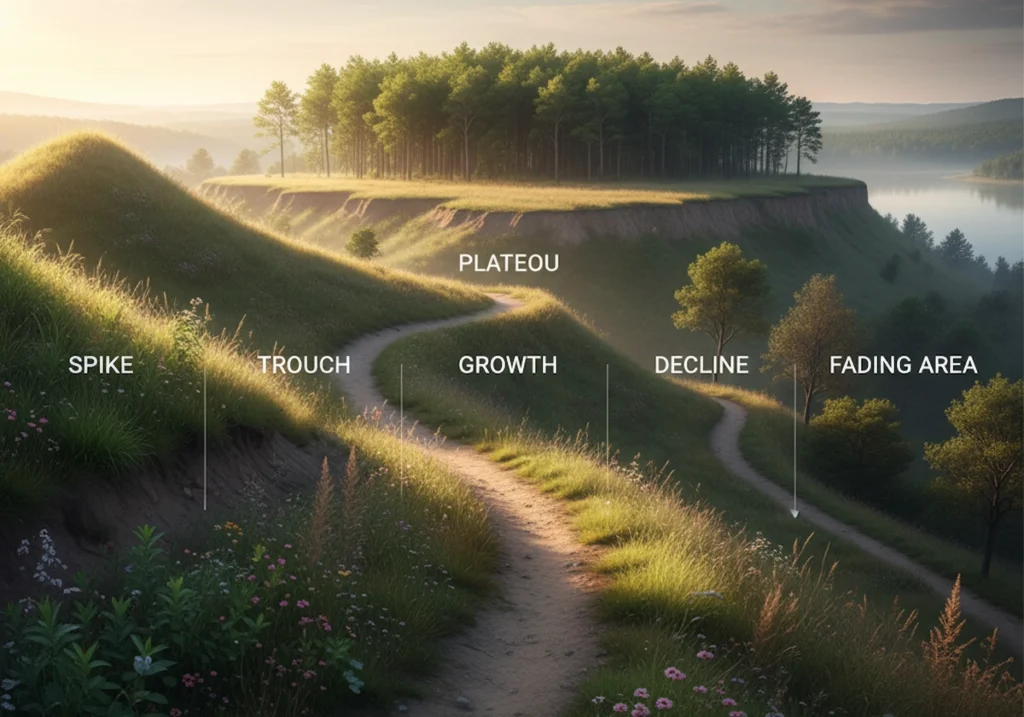
Every piece of content moves through some predictable phases:
- Spike: Initial traffic surge after publishing
- Trough: That excitement drops off quickly
- Growth: Traffic picks up as search engines index properly
- Plateau: Peak performance with stable rankings
- Decline: Traffic drops slowly into decay
Now the decline isn’t always your fault. Search engines constantly update their algorithms. Competitors publish newer, more thorough content targeting the same keywords.
For this reason, blog posts can lose up to 20% of their traffic over time due to content decay. For a site getting 100,000 visitors monthly, even a 20% decline means losing 20,000 visitors.
Why Content Decay Happens on Search Engines?
Content decay happens because search engines push older content down as competitors publish fresher material. What people searched for six months ago isn’t what they want today.
But it isn’t caused by one single factor. Multiple forces work together to push your blog posts down in search engine rankings.
- Search engines prioritise recent content because it likely contains up-to-date information.
- Google compares content quality and ranks the better piece higher.
- Google releases several major algorithm updates every year.
- Multiple posts on one topic confuse search engines about rankings.
- Broken links signal poor site maintenance and hurt your rankings.
- Slow page speed frustrates users and damages search result positions.
Pro tip: Check the “People Also Ask” section for your target SEO keywords. These questions reveal what specific information users seek today.
Using Google Analytics to Spot the Warning Signs
Google Analytics can show you the declining traffic patterns. It will point out which blog posts are losing visibility before it’s too late.
Start by logging into your Google Analytics account and heading to the Behaviour section. Click on Site Content, then Landing Pages. This view shows which pages bring in organic traffic and how that traffic changes over time.
Finding Your Decaying Content
Set your date range to the last 12 months. This timeframe gives you enough data to spot real trends instead of seasonal fluctuations.
Here’s what to watch for in the data:
- Your page used to get 1,000 visitors per month, but now pulls in only 600
- Users spend less time reading
- More visitors leave immediately after landing
Pro tip: Create a custom alert in Google Analytics for your top 10 performing pages. Set it to notify you when traffic drops by more than 20%.
Identifying Outdated Information in Your Content
Outdated content sticks out like a sore thumb to both the target audience and search engines. A blog post citing 2021 statistics in 2025 tells Google your page hasn’t been maintained.

So you’ve found which pages are losing traffic. Now you need to figure out what’s actually wrong with them.
Start by scanning your decaying blog posts for dates and numbers. Look for phrases like “this year,” “recently,” or “latest data.” If those references point to years ago, you’ve found your first problem.
Quick Audit Checklist:
- Are your statistics from the last 12 months?
- Do your examples reference tools that still exist?
- Have industry best practices changed since you published?
- Do your screenshots show old website designs?
- Are your external links still working?
Pro tip: Create a spreadsheet with columns for page URL, outdated statistics, and broken links. Tackle the pages with the most traffic first for the biggest impact.
Content Refresh: Your Strategy to Fight Back
A content refresh updates your existing content to make it relevant again. The approach costs less time and money than writing something completely new. Plus, you’re building on a page that already has some authority with search engines.
Your Content Refresh Action Plan
So, after you identify the outdated information dragging down your rankings, this is how to fix it step by step.
- Prioritise Your Content Inventory: Start with blog posts that have the most potential. Look for pages that rank on page two or three of search results. Also, target pages that used to rank well but dropped recently.
- Update Outdated Information: After that focus on replacing old data with current numbers from authoritative sources. If your post references 2022 research, find 2024 or 2025 studies instead.
- Match Current Search Intent: Next, search your target keyword in Google and study the top five results. What format are they using? Your refreshed content needs to match what search engines think users want today.
- Expand Thin Content: Add 500-1000 words to posts that feel incomplete. Cover angles you missed the first time. Answer questions from the “People Also Ask” section.
- Fix Technical Issues: At this stage you’d want to fix broken links with working ones. Update meta descriptions to include your target keywords and improve click-through rates. Add internal links to newer blog posts on related topics.
- Refresh Visuals: While you’re at it, replace outdated screenshots with current ones. Swap old examples for recent case studies. Add new images to break up text.
- Update Your Publish Date: Finally, change the publication date to today after you finish refreshing. This simple step tells both readers and search engines that your content is current.
Pro tip: Start with five to ten high-priority blog posts. Track their performance in Google Search Console for 30 days before rolling out more content refreshes.
How to Find Relevant Keywords
Begin by opening the Google Search Console and go to the Performance report. Filter by the URL of your decaying blog post. Then look at the Queries section to see which search terms actually boost traffic.
After that, look for “striking distance” keywords too. These are search queries where your page ranks between positions 11 and 20. A small tweak to include these relevant keywords could push you onto the first page.
You can use free tools like Google Keyword Planner or Ubersuggest to research related terms. Here, you should pay attention to keywords with strong search volume that match your content’s topic.
Now just add these new relevant keywords naturally throughout your blog post. And finally, include them in your headings and first 100 words. But don’t force it. Search engines can spot keyword stuffing.
Pro tip: List your primary keyword, three to five secondary keywords, and a handful of long-tail variations. This map keeps your content refresh focused.
Writing Meta Descriptions for Click Through Rates
The first strategy is to keep your meta descriptions between 150-160 characters. Because search engines will cut off anything longer than that.
You should also Include your SEO keyword near the beginning. Google bolds matching terms in search results, which draws the eye.
Then, focus on adding a clear benefit or promise. Tell searchers exactly what they’ll learn or gain by clicking.

And of course, avoid generic descriptions that could apply to any page. Try to be specific about what makes your content worth reading today.
Pro tip: Look at your click-through rates in Google Search Console. Pages with high impressions but low CTR need better meta descriptions. Even a small improvement from 2% to 4% CTR can double your website traffic.
Stop Watching Your Traffic Disappear
You’ve poured hours into creating relevant content, so don’t let it quietly slip into digital obscurity. A little attention and maintenance of your contents now can save you a lot of lost traffic later.
Always remember that content decay catches up with everyone. Search engine algorithms evolve, competitors step up their game, and search intent never sits still. Even your best-performing blog posts will slow down if you don’t keep them fresh.
The difference between sites that keep growing and those that stall is consistency. But you don’t have to overhaul everything at once. Pick five underperforming posts this week. Update stats, fix broken links, tighten up the writing, add stronger visuals, and refine your keywords or meta descriptions.
Then watch how the beanstalk keeps reaching the clouds. Your older posts already earned attention once. With a little refresh, they can do it again and perform even better than before.