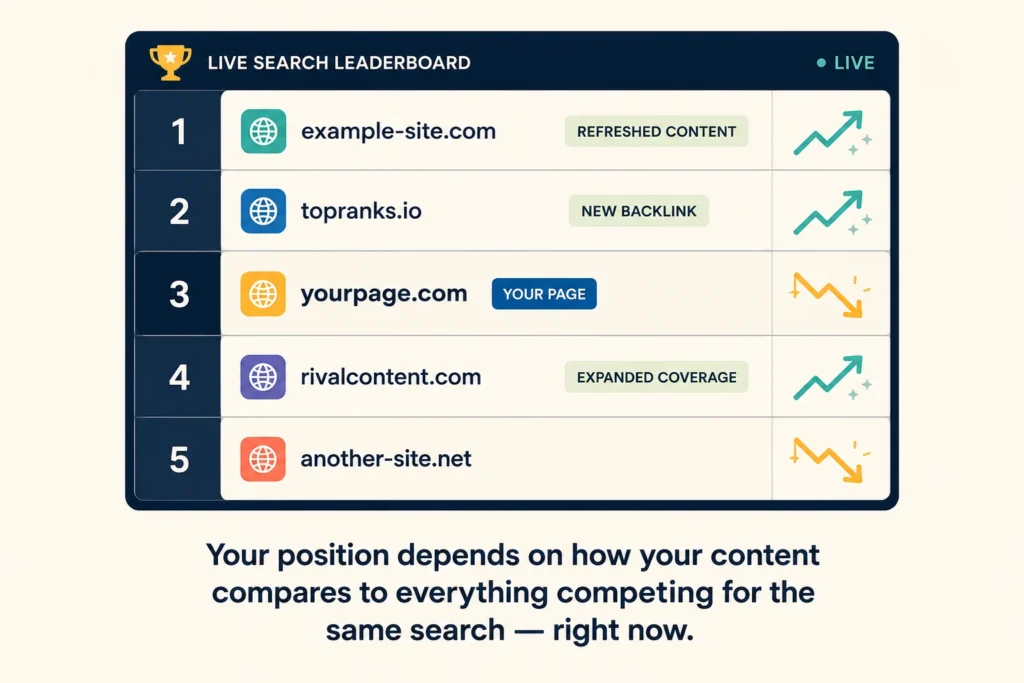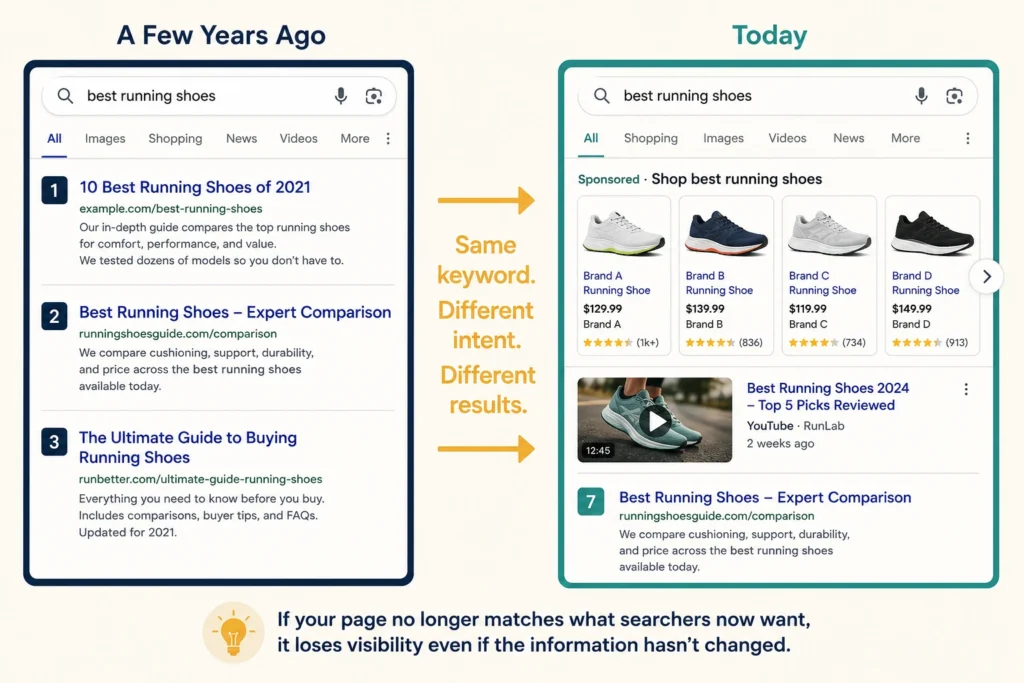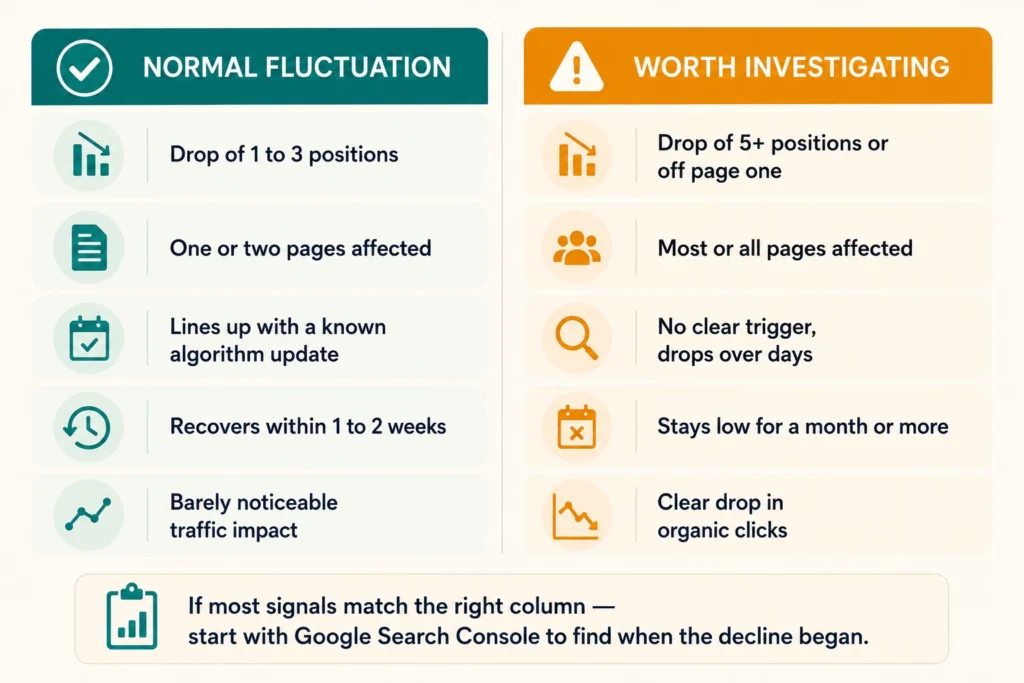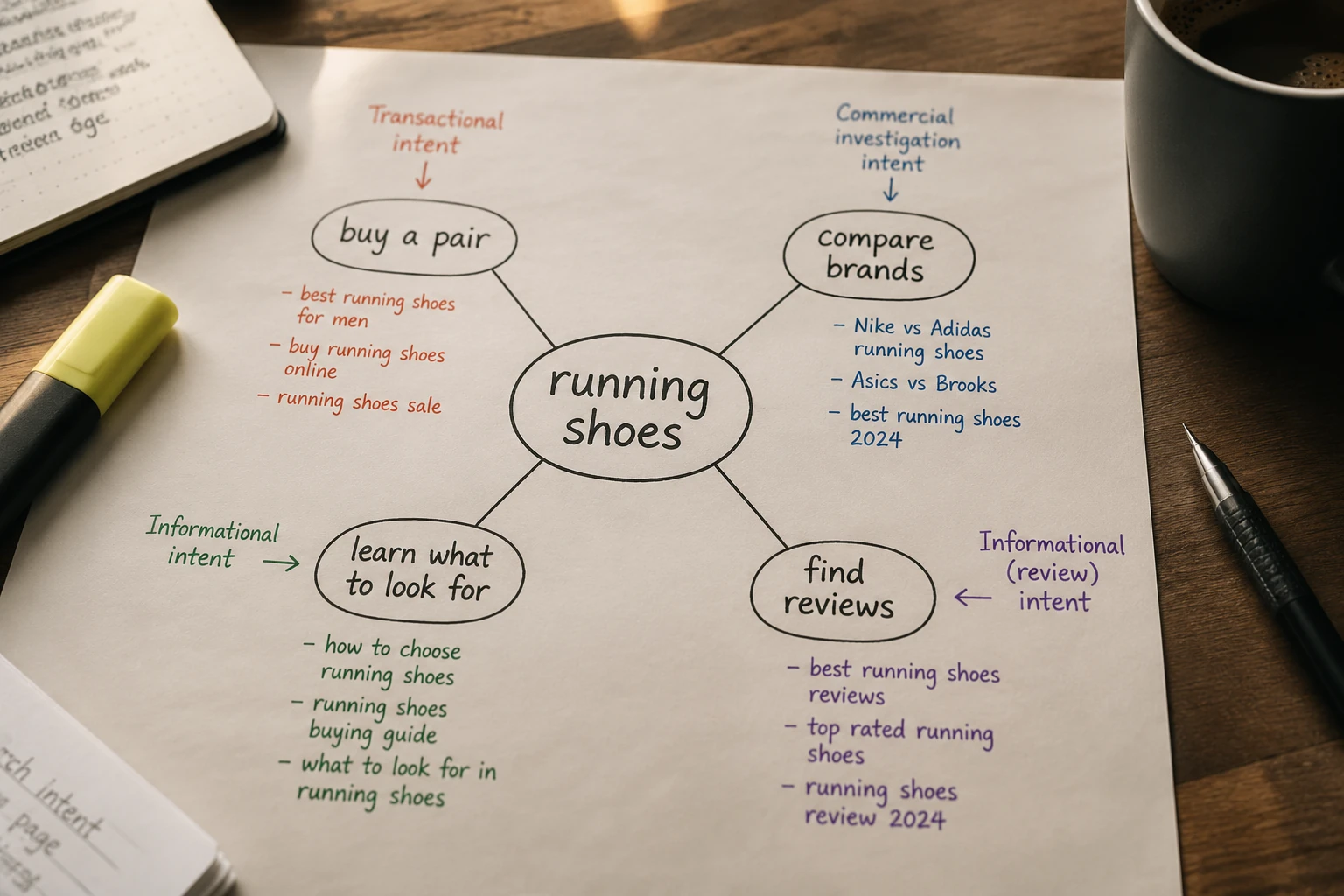
SEO metrics

The Simple Metric Most Businesses Ignore in SEO

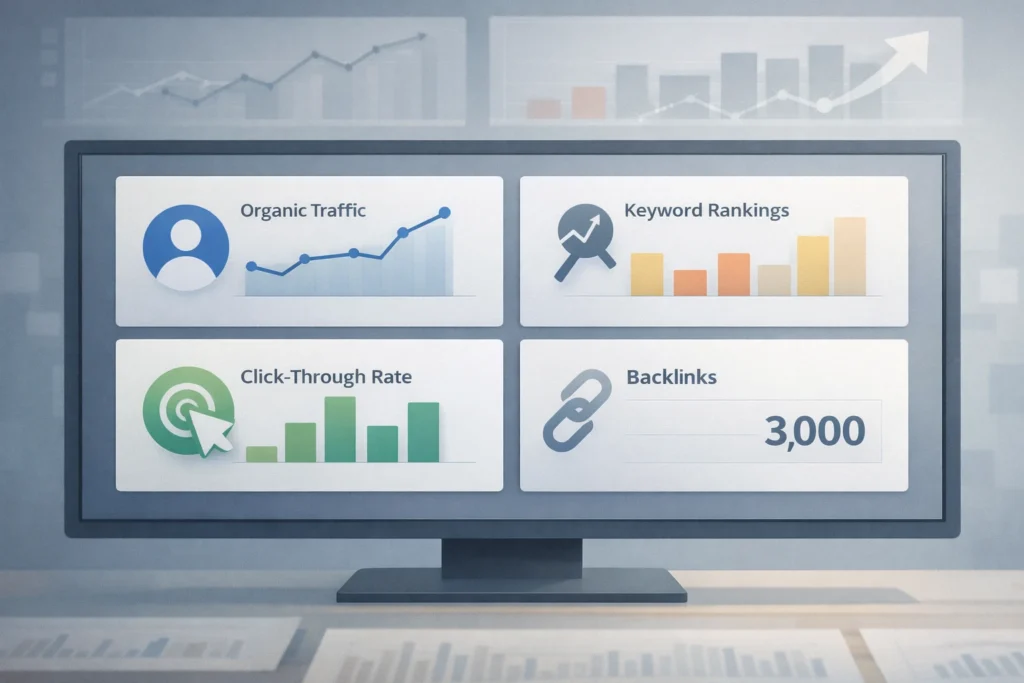
If you check any SEO dashboard, you’ll find businesses focusing heavily on keyword rankings, organic traffic, and backlink counts. These are the SEO metrics most companies track consistently.

But they only scratch the surface of what’s actually happening on your site. Sure, organic traffic tells you how many people showed up. Keyword rankings show where you appear in Google search. And backlinks? They measure your site’s authority.

The bigger opportunity sits in overlooked digital marketing metrics like engagement depth and scroll rate. These reveal whether visitors care about your content or leave after a few seconds.

In this article, we’ll cover the simple metrics most businesses ignore and how they reveal what traffic numbers alone can’t.

The SEO Metrics Most Businesses Track

The SEO Metrics Most Businesses Track

Most businesses track organic traffic, keyword rankings, and click-through rates because they’re easy to find in Google Search Console and give a quick snapshot of SEO performance.

Take organic search traffic, for example. You might have seen 5,000 page views last month, but did visitors read the content or click around? Or did they bounce after glancing at the first paragraph? Search Console doesn’t tell you that part.

Rankings work the same way. They show you search visibility, but can’t measure whether the content connects with your target audience. Ranking #3 for “Brisbane SEO services” looks great on paper. But if visitors leave within seconds, that ranking isn’t doing much for your business.

Similarly, click-through rates demonstrate title appeal yet provide no insight into actual user engagement or content quality. In other words, you’re only seeing the tip of the iceberg.

Engagement Depth: How Long People Stay (and Why It Counts)

Engagement depth measures how much of your content visitors actually consume. Unlike the total time on page, it shows whether users are truly reading and interacting, or just skimming before leaving.

The difference becomes clear when compared with older engagement metrics like bounce rate.

How It’s Different from Bounce Rate

Bounce rate tracks the percentage of visitors who leave without clicking elsewhere on your site. It’s been the standard SEO metric for years, but it misses a lot.

Think about it. A visitor can leave your page quickly but still read the full article or scroll through multiple sections. Engagement depth captures that behaviour. It shows the real quality and relevance of your content, while bounce rate on its own often paints an incomplete picture.

What Good Engagement Looks Like on Your Site

Strong engagement usually means visitors scroll past most of your content and spend time across multiple sections. They click internal links, watch embedded videos, or complete forms and download resources.

When engagement depth is high, businesses often see higher conversion rates, longer sessions, and lower cost per acquisition. These visitors read the content, explore your pages, and take meaningful actions.

Scroll Rate: Are Visitors Reading Your Content?

Scroll Rate: Are Visitors Reading Your Content?

Yes, most visitors do scroll, but not as far as you might expect. According to Chartbeat, 55% of people spend fewer than 15 seconds actively engaged with a page. That gives you a very short window to capture their attention before readers move on.

This is where scroll rate becomes useful. It tracks how far down the page visitors move, which helps show whether your content holds their interest. If most readers drop off after the first two paragraphs, something isn’t working. It could be a weak opening, poor formatting, or content that doesn’t match what they searched for.

On the flip side, high scroll rates suggest visitors find value throughout the page. They’re reading multiple sections and spending time with the content. That kind of user behaviour aligns with what search engines associate with useful, relevant content.

Relevance Match in Google Search Console

Relevance match tells you if visitors find what they expected when they clicked your link from search results. For instance, if someone searches for “best coffee in Brisbane” but lands on your page about coffee bean suppliers, they’ll likely bounce straight back to Google search.

Here’s what relevance match reveals about your content performance:

  • Strong Relevance Match: When your content aligns with search intent, people stick around. They read more, click internal links, and engage with your site. This reduces immediate exits and improves your overall user engagement metrics (which is exactly what you want).
  • Poor Relevance Match: Visitors realise the page doesn’t answer their question and leave quickly. Frequent early exits signal to Google that your content may not be meeting user needs.
  • Tracking Through Search Console: Watch your average time on page and pages per session in Google Search Console. If people land and immediately leave, your relevance match needs work. The content might be solid, but it’s not matching what people actually want when they click your link.

The key is making sure your title, meta description, and actual content all deliver on the same promise.

Time to First Interaction: Why Response Time Beats Page Speed

Time to First Interaction: Why Response Time Beats Page Speed

You click a button and… nothing. The page loaded fine, but now it’s frozen for three seconds while scripts catch up.

Time to first interaction measures how quickly visitors can click buttons, fill out forms, or navigate your site without delay. The page looks ready, but the buttons won’t respond because JavaScript is still loading in the background. Even when a page loads quickly, this lag frustrates users who just want to take action.

This is different from Core Web Vitals, which focuses on loading speed and visual stability. The time between the first interaction shows whether site visitors can use your page once it appears.

Improving interaction time reduces friction and increases customer engagement. When people can interact immediately, they’re more likely to stay and convert. Slow interaction, on the other hand, sends them straight to your competitors.

How These Metrics Shape Your Digital Marketing Strategy

Once you start tracking these metrics, you’ll spot patterns that change how you spend on digital marketing.

For example, blog posts might drive tons of organic traffic but show low engagement depth. Meanwhile, your how-to guides might get less traffic but keep people engaged for minutes at a time. That tells you where to focus your content creation efforts.

Other metrics like scroll rate and relevance match show you exactly what needs fixing to increase conversions without spending more on Google Ads or paid advertising. If visitors bounce after two paragraphs, you don’t need more traffic. You need better content that matches search intent.

These engagement metrics reveal which digital channels actually deliver results. Instead of throwing money at more ads across social media platforms or email marketing, you can improve what’s already working and cut what isn’t.

Tools That Track Customer Engagement

Tools That Track Customer Engagement

You probably already have access to tools that track these metrics, but most businesses never turn them on. Setting them up takes minutes and can reveal exactly where your content loses people.

Here are the best tools for tracking customer engagement:

  • Google Analytics 4: Most analytics platforms include engagement tracking, but businesses rarely activate it or explore beyond the basics. GA4 can track scroll depth, but you need to configure custom events to capture meaningful data (though most businesses skip this step entirely). The functionality is already in your dashboard, waiting to be set up.
  • Heatmap Tools: Tools like Hotjar reveal exactly where visitors click, scroll, and abandon your content throughout the page. You can see which sections get read and which get skipped. This visual data makes it easy to spot problems that raw numbers might miss.
  • Google Search Console: Beyond basic traffic reports, Search Console shows you which search queries bring engaged users to your site. You can track average engagement time per query and see which landing pages keep people around longest. These insights help you double down on content that works.
  • Microsoft Clarity: If you want to understand why engagement drops, not just where, Clarity makes that visible. It records real user sessions so you can see where visitors hesitate, click repeatedly, or abandon a page. This helps you identify friction points that don’t show up in traffic or engagement reports alone.

The good news is you don’t need all of these at once. Start with one or two SEO tools and expand from there as you get comfortable with the data.

Start With One Metric This Week

You don’t need to become a data scientist overnight. Pick one overlooked SEO metric like scroll rate or engagement depth and monitor it for 30 days. See what patterns emerge.

That’s where most businesses go wrong: chasing keyword rankings without paying attention to visitor behaviour. Small changes based on real visitor behaviour often beat obsessing over rankings. You might discover your intro loses people, your formatting needs work, or your titles overpromise what the content delivers.

Start tracking what happens after people land on your site, not just how many showed up. And if you need help making sense of the data, we’re here to help.

SEO Research

Why Strong SEO Starts With Good Research, Not Keywords

Most businesses start their SEO plan by simply chasing keywords with high search volumes. They pick a few high-traffic terms, write content around them, and hope Google does the rest.

The problem is that keyword research on its own doesn’t explain why people search or what Google actually wants to rank. Without that context, even well-written pages struggle to perform.

Strong SEO research starts by looking at what already works. That means analysing competitors, studying page-one results, and understanding the intent behind each search. When you do that, keywords stop being guesses and start becoming a strategy.

This article walks you through the research side of SEO that most people skip. You’ll see how competitor analysis, SERP mapping, and user intent give you a clearer plan than keywords ever could on their own.

SEO Research vs Keyword Research: What’s the Difference?

SEO Research vs Keyword Research: What's the Difference?

SEO research digs into search behaviour and competitor strategies, while keyword research just finds search terms.

You might be thinking, “Wait, aren’t they the same thing?” Well, not quite. Keyword research shows you what people type into a search engine and how often they search for it. While that’s useful, it’s only part of the picture.

SEO research goes deeper. It looks at competitor weaknesses, SERP features like featured snippets or local packs, and which content formats Google ranks at the top for your keywords. Basically, you’re studying the whole search environment around your topic, not just chasing high search volume terms.

For example, a Brisbane physio clinic might find that “lower back pain exercises” has great search volume, but the top results are likely all video tutorials, not blog posts. So it’s better to create video content instead of wasting time on a 2,000-word article that Google won’t rank.

How Competitor Analysis Uncovers Ranking Opportunities

Your competitors have already spent time and money figuring out what works. There’s no reason not to learn from their wins and losses (saves you months of trial and error). Here’s how competitor analysis helps you identify gaps your competitors miss:

Finding Your SEO Competitors

Your SEO competitors aren’t always your business competitors. They’re the sites that rank for your target keywords, even if they don’t sell the same products or services.

For instance, a Brisbane cafe’s SEO competitor could be a Melbourne food blog ranking for “best coffee beans in Australia.” The blog isn’t competing for local customers, but it’s competing for the same search visibility.

To identify your SEO competitors, run your focus keyword in Google and note which domains consistently appear in positions one through ten. These are the sites you need to study.

What Ranking Sites Reveal About Search Intent

What Ranking Sites Reveal About Search Intent

Once you know who’s ranking, the next step is figuring out why Google ranks them.

Start by checking if the top results are comparison posts, how-to guides, or product pages. This tells you what searchers expect when they type in that keyword.

Beyond the content type, pay attention to heading structures and topics covered. If every top result includes a pricing section or customer reviews, that’s Google telling you those elements help you rank for that particular search.

SERP Mapping: Identifying Google’s Priorities Before You Write

Some keywords need detailed guides while others want quick listicles, and Google’s first page tells you exactly which one. SERP features like featured snippets, People Also Ask boxes, and local packs show what Google thinks searchers need when they type in that keyword.

If image carousels or video results dominate the SERP, text-only content will struggle no matter how good your keyword optimisation is. Google’s already decided that searchers want visual content for that search, so a 2,000-word blog post won’t rank well.

After you’ve checked the features, you should study the word counts, media types, and content angles of the top five results. When your content format hits the mark with what’s already ranking, you’re halfway there.

Take “Brisbane wedding venues” as an example. If the top results all include photo galleries and pricing tables, your page needs those elements to compete.

Why User Intent Outweighs Keyword Difficulty

You could rank number one for a 10,000 search keyword and still get zero customers if the intent’s off. That’s exactly what happens when most people chase the easy keywords and wonder why nothing converts.

Here are three reasons why intent should guide your keyword choices:

  • Wrong Intent Kills Conversions: A keyword with lower difficulty might look tempting, but if searchers want free guides and you’re selling services, you won’t convert visitors. You’re attracting the wrong crowd.
  • Matching Intent Solves the Right Problem: When your content answers the specific question or solves the problem the searcher has right now, they stick around. That’s when you turn search traffic into potential customers.
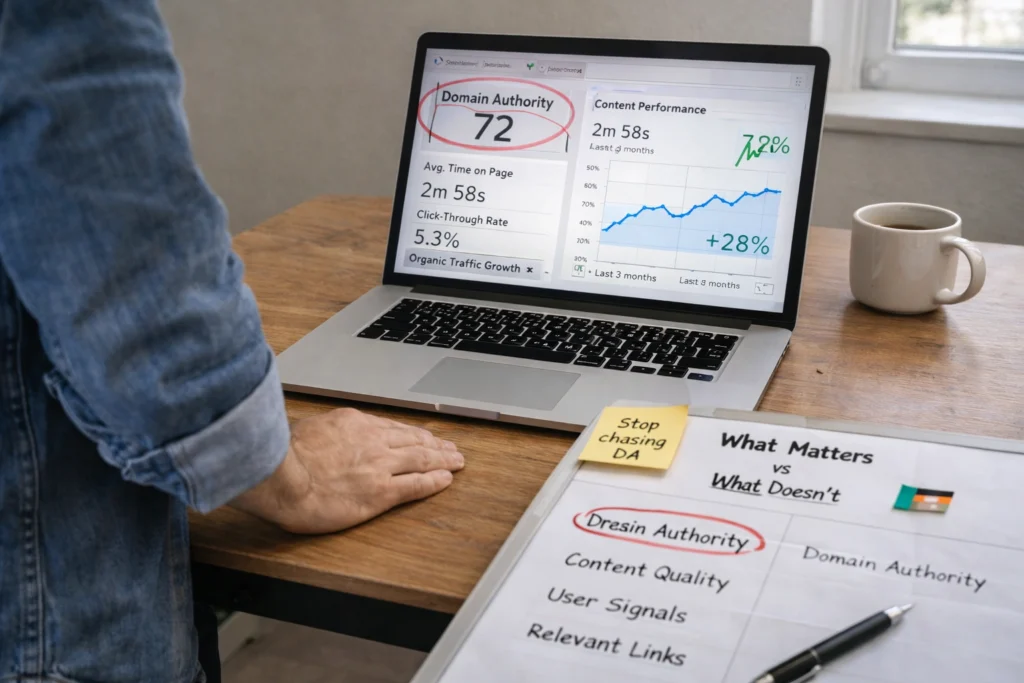
  • Google Rewards Relevance Over Authority: Google prioritises relevance over domain authority (even the big players with years of backlinks). Nailing intent helps smaller sites outrank established competitors. A South Brisbane marketing agency can beat a global firm if its content better matches what searchers need.

Getting the right keywords means nothing if you’re answering the wrong questions.

Keyword Analysis Tools That Support Better Research

Keyword Analysis Tools That Support Better Research

Back in 2010, keyword research meant manually tracking spreadsheets for hours, but nowadays, tools do the heavy lifting in minutes. The best keyword research tools give you data on search volume, keyword difficulty, and related keywords all in one place.

Let’s look at some of the most popular keyword research tools and what they offer:

ToolBest For Key Features 
Google Keyword Planner Free keyword ideasSearch volume data, keyword suggestions, works with Google Ads account 
Semrush Keyword Research Comprehensive keyword analysis  Keyword difficulty scores, SERP features, competitor keywords 
Ahrefs Keywords Explorer Backlink and keyword research Keyword tool with search volume, related keywords, content gap analysis 

Google Keyword Planner is the go-to free tool for most people starting out. You’ll need a Google Ads account to access it, but you don’t need to run any ads. It shows search volume estimates and helps you discover new keyword ideas based on your site or industry.

If you want more detail, tools like Semrush Keyword Research or Ahrefs Keywords Explorer go further than free options. These paid keyword research tools provide keyword difficulty scores and SERP feature data together, so you can see which keywords are worth targeting before you create content.

That said, free tools still cover the basics with monthly search volume. Paid platforms, on the other hand, reveal seasonality trends and question-based keyword variations. If you’re serious about SEO, investing in one of these SEO tools saves you time and helps you find keyword opportunities your competitors miss.

Building an SEO Strategy From Research Up

Building an SEO Strategy From Research Up

Research hands you a clear roadmap so you’re not wasting budget on topics that’ll never convert. To build that roadmap, start with keyword research to identify content gaps in your site, then prioritise topics based on search volume and competition levels. This tells you exactly which pages to build first.

After you learn what to create, your SEO strategy should map keywords to specific pages while considering user intent at each stage of the search journey. Someone searching “what is SEO” needs educational content, while “SEO services Brisbane” means they’re ready to buy. Each keyword gets its own URL and purpose.

From there, your research informs your content calendar, internal linking structure, and which pages deserve the most optimisation effort. You can refine your plan as you go, but the initial research gives you a foundation that keeps your business focused on keywords that drive results.

Research First, Rankings Follow

Keyword research gets you started, but proper SEO research gets you results. When you understand what Google ranks, why it ranks those pages, and what searchers actually need, your content plan becomes sharper and more focused.

You’ve now seen how competitor analysis reveals gaps, how SERP mapping shows Google’s preferences, and why user intent beats keyword difficulty every time. Good research is worth its weight in gold when you’re deciding where to invest your time and budget.

If you need help building an SEO strategy backed by solid research, get in touch with us. We’ll help you figure out what’s working for your competitors.

ranking behaviour insights

Why Some Pages Rank Even With Weak SEO (And What That Teaches Us)

You’ve seen it happen. A page with slow load times ranks above your perfectly optimised site. Another one with broken links somehow lands on page one. It makes no sense when you’re doing everything right, but search engines don’t work the way most SEO guides promise.

The thing is, Google ranking factors aren’t as black and white as they seem. The algorithm often weighs signals that contradict traditional advice. Following outdated checklists alone won’t get you results.

This guide breaks down the ranking behaviour insights that actually work. You’ll learn which factors Google prioritises when signals conflict, so you can build a strategy that delivers results.

What Makes Google Ignore Traditional Ranking Factors?

Google sometimes ignores traditional ranking factors when user signals show a page better solves the searcher’s problem than technically superior competitors. Even a “perfectly optimised” page can lose if users engage more elsewhere.

Here are the three main reasons this happens.

User Intent Wins Over Technical Perfection

User Intent Wins Over Technical Perfection

Did you know that Google still ranks pages that answer the searcher’s actual question, even when core web vitals fall short?

Let’s say you’re searching for “how to fix a leaking kitchen tap.” A detailed guide with a 4-second load time will outrank a lightning-fast plumbing company homepage that just lists services. The slower page keeps you reading for 3 minutes because it shows you exactly what to do, while the fast one has you hitting back within 20 seconds.

High-Quality Content Beats Domain Authority

New sites with genuinely helpful content can outrank established domains that rely on outdated authority signals.

We’ve seen this happen in our own testing. Brand-new pages outranked 10-year-old authority sites within weeks because they delivered depth and clarity. Meanwhile, those established sites? They were coasting on historical domain authority without updating their content.

Internal Links Outweigh Backlink Volume

A well-structured site with logical internal links spreads ranking power more effectively than a bunch of scattered external backlinks. When pages are connected through relevant, contextual links, they signal topical authority that the algorithm values more than raw backlink counts.

Think of it this way: would you rather have 100 random people mention your name or a few close colleagues vouch for your expertise? Google treats internal links like those trusted colleagues. Quality connections are more important than sheer quantity.

Real Patterns: Pages That Rank Despite Red Flags

In our work with Brisbane ecommerce sites, we’ve seen pages with three or more broken links outrank competitors with perfect technical audits by 15 positions. Sounds backwards, right? But it happens more often than most people realise.

The reason is simple: these pages answer what users actually want to know. They satisfy search intent so well that Google often overlooks technical issues.

Duplicate content follows the same pattern. Sites duplicating sections across multiple pages maintained strong rankings because those sections answered queries in full detail. Even slow-loading pages with detailed answers outperformed faster sites with surface-level content.

The lesson here? Quality content and relevance consistently beat technical perfection when user signals show people are finding real value.

Which SEO Myths Do These Ranking Behaviours Expose?

Which SEO Myths Do These Ranking Behaviours Expose?

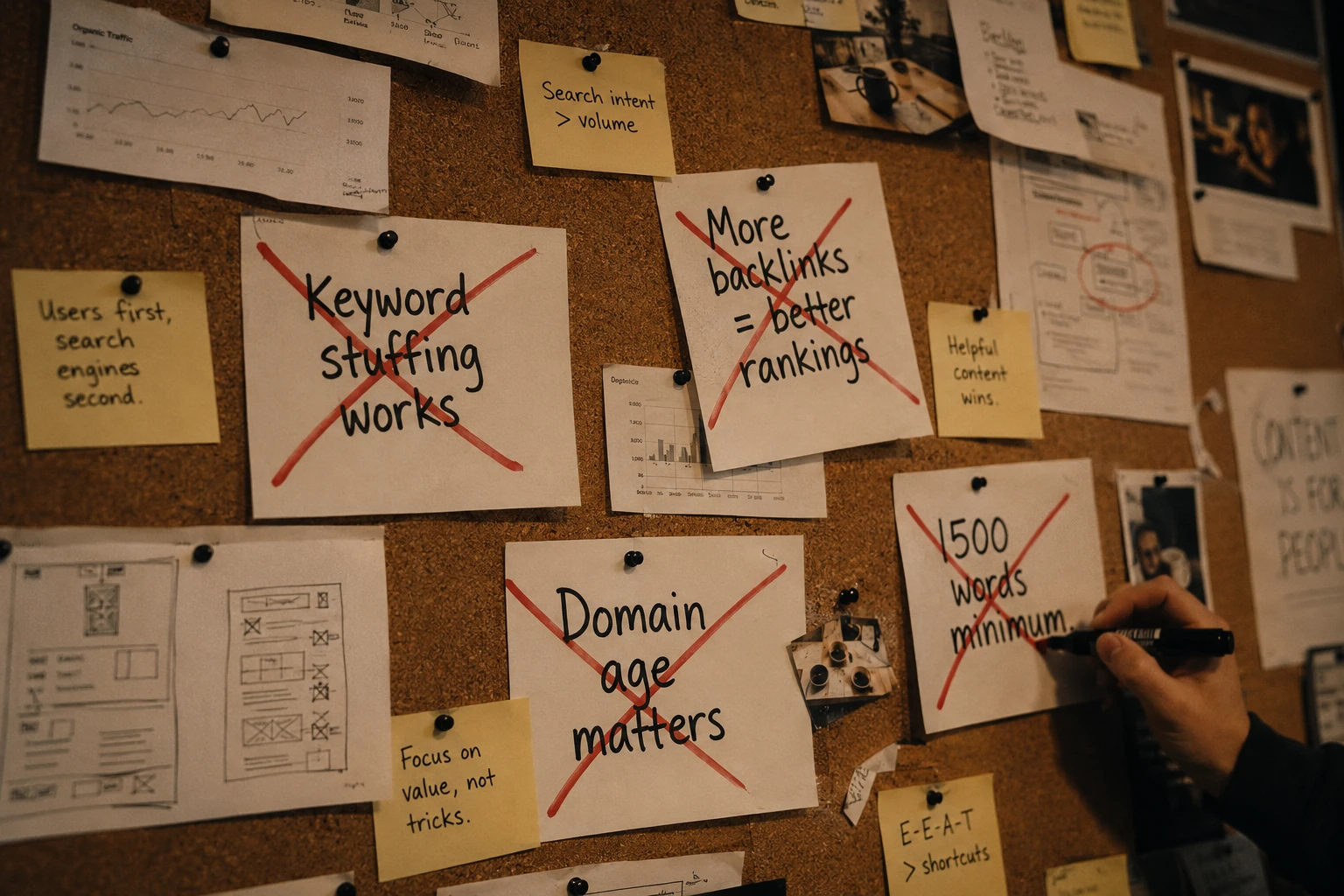
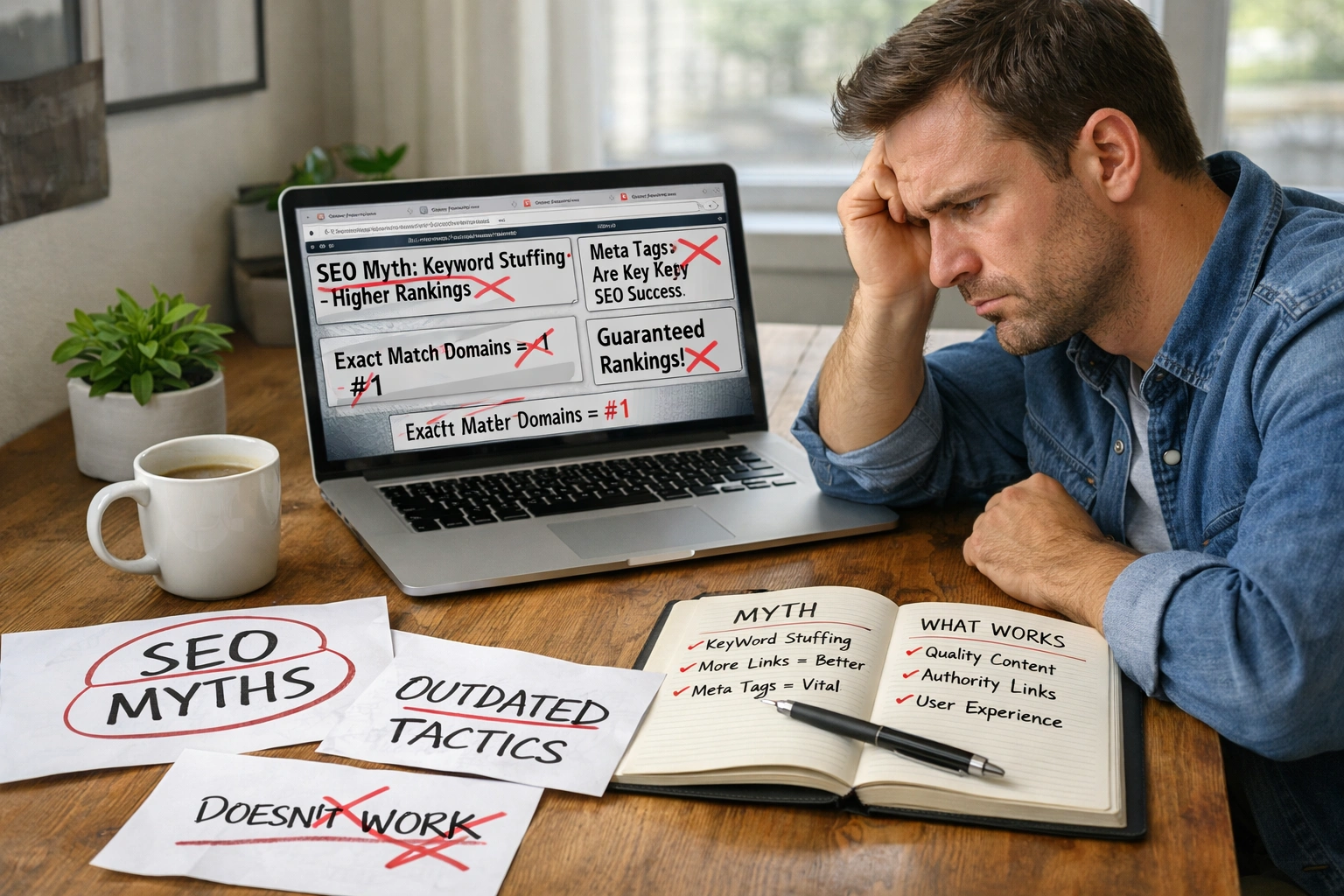
These ranking patterns expose five persistent myths: perfect technical scores guarantee rankings, more backlinks always win, keyword stuffing works, older domains dominate, and technical fixes come first.

Let’s break down each one.

  • Perfect Technical Scores Guarantee Rankings: Flawless technical SEO doesn’t guarantee rankings if your content fails to match what searchers actually want to find.
  • More Backlinks Equal Better Rankings: Aggressive link building produces weaker results than naturally earned links from genuinely relevant sources.
  • Keyword Stuffing Works: It doesn’t (and yes, we’ve all tried it). Strategic keyword placement in natural content beats cramming keywords everywhere.
  • Older Domains Always Win: Domain age becomes less important when fresh content better addresses current search intent.
  • Fix Every Technical Issue First: Technical fixes help, but they’re pointless if your core content doesn’t solve user problems. Start with content quality, then optimise technical elements.

The truth? Focus your SEO efforts on what users need, not what technical checklists demand.

User Signals That Override Technical SEO Performance

Beyond checking off technical requirements, the algorithm watches how real people interact with web pages. A page with a 4-second load time can rank above faster competitors if visitors stay longer and don’t bounce back to search results.

So what does this actually mean for you? Search engines track how long visitors stay on your web pages and whether they return to search results immediately.

If people stick around, read your content, and find what they need, those user interaction signals override many technical SEO issues. The algorithm prioritises user experience because engagement proves your page delivers better solutions than alternatives with flawless metrics.

How to Spot Ranking Opportunities Others Miss

Here’s what most people overlook: even the highest-ranking pages often have clear content gaps. They answer the main question but skip the follow-ups people actually search for next. Identifying these gaps is one of the fastest ways to outrank pages with stronger domain authority and bigger backlink profiles.

Let’s see where to find them.

Target Questions High-Authority Pages Ignore

Target Questions High-Authority Pages Ignore

Top-ranking pages often cover broad queries but miss specific follow-ups. For example, a page about “how to start a blog” might nail the basics but completely skip questions like “how much does hosting actually cost” or “which platform works best for beginners with zero tech skills.”

These missing answers are your opportunity. Focus on questions in “People Also Ask” sections that top results don’t fully address. Targeted content answering these gaps can outrank pages coasting on old authority.

Keywords Where Fresh Content Wins

The second opportunity? Outdated content. Look for search terms where top results haven’t been updated despite changes in the topic (happens more often than you’d think).

A 2019 page ranking for “best email marketing tools” is a perfect example. Half those tools don’t even exist anymore, which makes it vulnerable. Updated content addressing what’s actually available now can outrank these older pages easily. When you see top results with publish dates from years ago, you’ve found your opening.

Put User Intent at the Centre of Your Strategy

These ranking patterns show that understanding search intent matters more than obsessing over every technical detail. Google rewards pages that solve real problems, not pages that simply check every box on an SEO audit.

Focus your SEO efforts on answering real questions thoroughly rather than gaming traditional ranking factors. Create high-quality content that meets what people are actually searching for, and build links naturally through genuinely valuable resources.

Need help applying these insights to your site? Reach out, and we’ll help you build an SEO strategy that puts user intent first.

Common SEO Mistakes Even Experts Make

SEO Mistakes Even Experienced Marketers Still Make

Even experienced marketers make common SEO mistakes. It happens. Some errors hide in plain sight for months, slowly dragging down your rankings. The tricky part? These slip-ups often feel like best practices until organic traffic takes a hit. But that’s not all.

If you want to know which SEO mistakes trip up even seasoned pros, you’re in the right place. We’ll cover the technical issues, on-page gaps, and local SEO blind spots that search engines notice before you do.

If you don’t want your search engine optimisation work unravelling in the background, stick around. We’ll break down these common SEO mistakes and hand small businesses a clear path forward. Let’s get into it.

What Are the Most Common SEO Mistakes?

common SEO mistakes

The most common SEO mistakes include duplicate content, poor meta descriptions, keyword stuffing, slow page speed, and ignoring mobile optimisation. But these are just the tip of the iceberg.

For one, technical SEO problems like crawl errors and site speed issues tank your search engine results pages rankings without obvious warning signs. On-page SEO slip-ups aren’t any better. Thin content and missing meta tags hurt just as much over time.

Here’s the thing, though. Most of these SEO mistakes come from set-and-forget habits. Not deliberate bad practice.

Why Experienced Marketers Still Slip Up

Experienced marketers slip up because they get too comfortable. Let’s be honest here. When you’ve managed a site for years, routine SEO tasks start sliding when deadlines pile up (and yes, we’ve all stared at that dashboard pretending everything’s fine).

On top of that, the SEO landscape is constantly reforming. What worked for your SEO strategy two years ago might hurt your organic traffic now.

And then there’s instinct over data. Even seasoned SEO experts skip checking key performance indicators when things feel fine. That’s exactly when common SEO mistakes creep in, and SEO efforts start slipping.

Technical SEO: The Overlooked Basics

When technical aspects break down, your site's performance drops.

Getting technical SEO right means search engines can find, crawl, and index your pages without hiccups. When these technical aspects break down, your site’s performance drops. And so does your organic traffic.

Ignoring Google Search Console Alerts

What usually happens is that marketers set up Google Search Console, tick that box, and never look at it again.

Sound familiar? From our experience auditing client sites, those unread alerts stack up quicker than you’d expect. Ignore one crawl error today, and you’re dealing with ten indexing problems next quarter.

A quick weekly check for blocked pages, mobile usability warnings, and technical issues keeps things under control. Five minutes. That’s all it takes.

Skipping Mobile Friendly Checks

Most of us still build and review sites on desktops. Bigger screen, easier to work with.

But most of your visitors aren’t sitting at a desk. They’re scrolling on mobile devices. A page that looks spot-on on your laptop can fall apart on a phone. Tiny tap targets, broken layouts, text you’d need a magnifying glass to read.

With Google’s mobile-first indexing, your mobile version is what counts for search results rankings. So a mobile-friendly website with a responsive design isn’t a nice-to-have. It’s the baseline.

Now, let’s talk about what’s happening on your pages themselves.

On-Page Issues That Fly Under the Radar

On-page SEO mistakes are sneaky. They don’t flash warning signs like technical errors do. Instead, they drag down your search results over time without a peep. Two slip-ups we see all the time: keyword stuffing and low-quality content.

Keyword Stuffing Without Realising It

You might be wondering how keyword stuffing still happens in 2025. It’s easier than you think.

Writers often optimise headings, meta descriptions, and body copy separately. Nobody checks the overall density. Before you know it, your target keywords appear fifteen times in a 500-word blog post. That sends spam signals to search engines and risks a Google penalty.

No worries, there is a simple solution to it. Use keywords naturally. Mix in long tail keywords and variations instead of forcing the same phrase everywhere. Avoiding keyword stuffing keeps your written content readable and your page SEO healthy.

Publishing Low Quality Content by Accident

Thin pages with surface-level info fail to satisfy search intent (spoiler: Google notices before your traffic does).

Content ages faster than most people realise. Outdated statistics, broken internal links, and missing visuals. All of it chips away at quality over time. That blog post that nailed user needs three years ago? Probably feels thin now.

Your target audience expects high-quality content that keeps pace, and they won’t wait around for you to catch up.

Another issue that flies under the radar: Duplicate content. And it causes more damage than most marketers expect.

How Does Duplicate Content Still Hurt Rankings?

Duplicate content confuses search engines about which version of a page to rank. So often, neither version performs well. Your SEO efforts take a hit, and organic traffic stalls.

So what’s the real deal here? Duplicate content refers to identical or very similar text appearing on multiple URLs. It happens more than you’d think. Product variations, printer-friendly pages, and HTTP versus HTTPS versions all create duplicate pages without you realising.

The problem is simple. When two URLs have the same content and target the same intent, Google doesn’t know which to show in search results. You’re back to square one.

Fixing this isn’t complicated, though. Canonical tags and 301 redirects sort out most duplication issues. Run a crawl audit every few months to spot duplicate pages before they drag down your rankings.

Local SEO: A Commonly Ignored Opportunity

Two areas trip people up the most: location data and localised meta content.

Nailing local SEO puts you in front of nearby customers already searching for what you offer. For small businesses, this is one of the most overlooked marketing channels out there. Two areas trip people up the most: location data and localised meta content.

Missing Google Analytics Location Insights

Google Analytics shows exactly where your visitors come from. Yet many marketers never filter by location. Big miss.

And that’s where things get interesting. Filter your reports by location, and you’ll spot patterns you’ve been missing. Maybe a suburb is already sending you organic search traffic without any push from your end.

For small businesses, this kind of insight shapes the customer journey. You can build geo-targeted content for target audience pockets you didn’t even know were there.

Forgetting to Localise Meta Descriptions

Generic meta descriptions miss easy wins. A city name or local search term can change everything. For example, someone searching “SEO agency Brisbane” is far more likely to click when they spot their suburb in the description.

That’s why dropping a location into your meta tags works so well for local SEO. Quick tweak, and it’s right there when searchers scan search results.

Spotting these gaps is one thing, though. Catching them early is another.

How to Catch These Blind Spots Early

Catching SEO blind spots early comes down to two things: regular audits and scheduled reviews.

Run Regular Meta Tags Audits

Monthly audits catch missing title tags, duplicate meta descriptions, and tags exceeding character limits. Through our practical work with local businesses, we’ve seen how fast these pile up.

Tools like Screaming Frog flag meta tags issues across your entire site in minutes. Quick fixes now prevent ranking drops later.

Create Content Review Schedules

Quarterly content reviews go a long way. Set a reminder to check older blog post content for outdated stats, broken internal links, and low-quality content.

When your site stays fresh, search engines notice. High-quality content signals you’re still in the game. Even a basic spreadsheet tracking publish dates and last reviews keeps everything on track.

From here, you’re ready to hit the ground running with your SEO strategy.

Ready to Fix Your SEO Blind Spots?

SEO mistakes don’t announce themselves. They sit in the background, chipping away at your rankings while you focus on other things. Technical slip-ups, on-page gaps, and ignored local opportunities. They all add up.

But here’s the thing. Every problem we’ve talked about has a fix. And none of them are out of reach.

We’ve walked through common SEO mistakes like duplicate content, keyword stuffing, local SEO gaps, and weak meta tags audits. Each one has a clear path forward.

Our team at Accuvant Labs will take you through every audit and fix you need to climb those rankings. Your competitors aren’t waiting. Neither should you.

website speed SEO

Is Your Website Slowing You Down? Easy Fixes for Better Speed and Rankings

Are you looking for ways to stop losing visitors before they even see your content?

Our team here at AccuvantLabs has worked with dozens of Brisbane businesses struggling with slow load times and dropping rankings. We’ve witnessed how a few simple speed fixes can double your organic traffic in just months.

In this guide, we’ll cover:

  • What website speed SEO is and why Google cares about it
  • How to diagnose what’s slowing your site down
  • Which speed metrics are most important for rankings
  • The fastest fixes that deliver actual results

Ready to speed up your site and climb the search rankings? Let’s begin.

What Is Website Speed SEO?

What Is Website Speed SEO?

Website speed SEO is all about making your site a fast-loading website so you can rank higher on Google. Many companies don’t realise how a slow website pushes users away. When someone clicks on your site from search results, they expect it to load within seconds. Otherwise, they simply leave your page.

We’ll now explain how speed plays a huge role in SEO and how it came to be.

Site Speed as a Google Ranking Factor

Google made site speed a ranking factor in 2010 for desktop searches. Back then, most people thought it was just a minor tweak. But Google was serious about prioritising user experience.

Fast forward to 2018, and they rolled out the “Speed Update” specifically for mobile searches. This update was a big thing because mobile traffic had already overtaken desktop by that point. Sites that loaded slowly on mobile started losing rankings, even if their content was perfect.

Since then, fast-loading web pages have consistently ranked higher than their slower competitors. It’s not the only factor (content quality is still the most important), but speed gives you a real edge when the rest of the factors are equal.

Core Web Vitals and What They Measure

Instead of just looking at “how fast does this site load”, Google now tracks three specific metrics called Core Web Vitals. They paint a clearer picture of what users truly experience when they come to your website.

Here are the three Core Web Vitals metrics:

  1. Largest Contentful Paint (LCP): It measures how fast your main content shows up on the page. We’re talking about your hero image, main headline, or whatever grabs attention first. Google wants this done in under 2.5 seconds. Otherwise, users get impatient and bounce.
  2. Interaction to Next Paint (INP): When someone clicks a button or taps your screen, INP measures how long it takes until something actually happens. You want that delay under 200 milliseconds, because if it’s any longer, your site will start to feel sluggish.
  3. Cumulative Layout Shift (CLS): Have you ever experienced how, when you try to click something, the whole page suddenly shifts? CLS measures those annoying layout jumps. It usually happens when an ad or image loads late and shoves everything down the screen.

These three metrics work together to show Google whether your site provides a smooth, frustration-free experience. You’re likely to reach higher in search engine rankings if you pass all these metrics.

How Do You Diagnose What’s Slowing Your Website Down?

How Do You Diagnose What's Slowing Your Website Down?

Most website owners try to fix their speed before understanding the problem. But the best approach is to run proper diagnostics first and find out where the issue is by running speed tests and finding the sources of speed drains.

Let’s go through how to perform these tests and figure out the actual issues.

Running Speed Tests to Identify Real Bottlenecks

Free speed testing tools can pinpoint exactly what’s dragging your site down. For example, Google PageSpeed Insights tests both your mobile and desktop performance, and breaks down your Core Web Vitals (we’ve mentioned earlier).

Another similar testing tool is GTmetrix, which goes further with its waterfall chart. It shows every file that loads and how long each takes.

When one file takes 3 seconds while others load in milliseconds, you’ve found your problem.

Signs Your Web Hosting Is the Problem

Did you know that your web hosting provider can affect how quickly your server responds to requests? There’s a metric called Time to First Byte (TTFB) that helps you identify whether your hosting is contributing to slow performance.

As a rule of thumb, a TTFB under 200-300 milliseconds is considered excellent. Anything under 500 ms is generally good, while times above 600-800 ms often indicate server- or hosting-related issues.

If your TTFB regularly goes beyond 800 ms, it’s a strong sign that your hosting or server configuration may be slowing your site down.

Finding Plugins and Scripts That Drain Speed

According to SpeedCurve on their page “Third-Party Web Performance”, a synthetic test showed that with all third-party scripts enabled, a page’s LCP took 26.82 seconds. However, with all third-party scripts disabled, it dropped to under 1 second.

Analytics tools, chat widgets, social sharing buttons, and advertising scripts all add weight to your pages. We’ve seen sites running 15 plugins where only 5 were necessary. The result is usually a slow-loading website and poor rankings.

But how do you find the scripts that are eating up your page speed? Well, Chrome DevTools can show you which ones they are. Press F12 in Chrome, go to Performance, and run a test to see which resources are taking the longest.

Pro tip: Run a local Lighthouse test inside Chrome because it gives deeper diagnostic detail than most online testing tools.

How Do You Measure Website Speed for SEO?

How Do You Measure Website Speed for SEO?

Once you’ve identified where your bottlenecks are, you need to monitor your website performance consistently. The goal here is to track improvements and catch new issues before they hurt your rankings.

Keep reading to find out how you can do it.

Testing Tools That Reveal Performance Issues

Different tools give you different perspectives on your site’s performance.

We’ll start with Google PageSpeed Insights (hello again!). It updates your site performance data every 28 days using real user data from Chrome browsers. This means the scores reflect what actual visitors experience. The mobile score is more important here since Google indexes mobile-first.

Next up, GTmetrix allows you to test your webpage from different server locations and simulates various connection speeds. Want to see how your site performs for someone on 3G in rural Queensland? This tool can show you that.

You can also schedule regular tests and get email alerts from GTmetrix when performance drops.

WebPageTest is the third tool on our list that offers the most detailed analysis, if you’re willing to dig into the technical side. It shows you filmstrip views of how your page renders frame by frame, so you can see precisely when your content becomes visible to users.

Important Speed Metrics for Rankings

We highly recommend focusing your efforts on the metrics Google uses to judge your website loading speed. We’re talking about Core Web Vitals metrics and page load speed (yes, we’re repeating them here, and it shows how important they are).

For starters, your LCP target should be under 2.5 seconds. Between 2.5 and 4 seconds is average, and anything over 4 seconds needs urgent attention.

Most sites struggle with LCP because their hero images are massive or the server response is slow.

And your INP should stay under 200 milliseconds. This metric replaced First Input Delay (FID) in 2024 and measures how quickly your site responds when users interact with it (hint: heavy JavaScript often causes poor INP scores).

Last but not least, page load time under 3 seconds keeps mobile visitors from bouncing. Desktop users are slightly more patient, but mobile users expect near-instant loading.

If you’re losing traffic despite ranking well, slow load times on mobile are often the culprit.

What Are the Fastest Ways to Improve Website Speed?

improve site load time

The fastest ways to improve website speed involve compressing your images before uploading them and enabling browser caching. You must also use a Content Delivery Network (CDN), minify your CSS, and implement lazy loading for images.

Follow this list to improve your site speed:

  • Compress Images Before Uploading: Tools like TinyPNG or ShortPixel can reduce image file sizes by up to 90% without any visible quality loss. This way, a 2 MB image becomes 200 KB in seconds, which significantly reduces your page weight.
  • Use WebP Image Format: WebP is a modern format that loads 25-35% faster than JPEG or PNG files. Most browsers support it now, and WordPress can convert your images automatically if your theme and hosting allow it.
  • Resize Images to Display Size: You shouldn’t upload 3000 px images that only display at 800 px on your site. Browsers have to download the full file regardless of display size, which wastes bandwidth and slows everything down.
  • Enable Browser Caching for Static Files: Browser caching stores your static assets, like CSS and JavaScript files (images too), on visitors’ devices after their first visit. Returning users can then load these files from local storage instead of downloading them again.
  • Use a Content Delivery Network (CDN): A CDN delivers your content from servers that are nearest to each user’s physical location. Based on our experience with Brisbane businesses targeting Asian markets, a Sydney-hosted site can serve Singapore visitors from Singapore servers, at a whopping 40-60% reduced latency.
  • Minify CSS Files: Minification removes spaces, line breaks, and comments from your code that humans need but computers don’t. Typical CSS files shrink 20-30% through minification, and WordPress plugins like WP Rocket or Autoptimize handle this automatically.
  • Combine Multiple JavaScript Files: Every separate JavaScript file on your page requires a new server request. When you combine 10 JavaScript files into one single file, it reduces those requests from 10 down to 1, and it speeds things up considerably.
  • Remove Unused CSS and JavaScript: Many WordPress themes load code for features you’re not even using on your site. Tools like PurgeCSS can identify this dead weight and remove it, which sometimes cuts your CSS file size in half.
  • Implement Lazy Loading for Images: You probably didn’t know this, but lazy loading prevents images from downloading until users actually scroll down to see them. Why force visitors to load 20 images when they might only view the first 3 before leaving your page?
  • Use Native Lazy Loading Support: Most modern WordPress themes now include lazy loading functionality by default. If yours doesn’t, you can add plugins like Lazy Load by WP Rocket. You may also simply add the HTML loading=”lazy” attribute to your image tags if you’re comfortable editing code.

Implement these changes today and watch your website speed anxiety melt away.

Take Control of Your Website Speed Today

Website speed determines if you’ll rank on page one or get buried on page three. Every second you shave off your load time improves your rankings, keeps visitors engaged, and increases conversions.

Need help improving your website speed and SEO performance? Contact our Brisbane team today for a free site audit. Slow sites will wait, but your users won’t.

SEO Content Refresh Strategy

Content Decay is Real: How to Spot It and What to Do About It

Even your best content doesn’t stay on top of searches forever!

That is because an average website loses nearly 17% of its organic traffic each year to content decay.

Your best-performing blog post from last year might be sliding down search engine rankings right now. You’re not imagining it, and you’re definitely not alone in this struggle!

But the good news is that content decay is fixable. You can spot the warning signs early and take action before your traffic disappears completely. Better yet, refreshing content is often a better strategy than creating new content from scratch.

In this guide, we’ll show you how to identify content decay and bring your blog posts back to life.

What is Content Decay SEO?

Content decay SEO refers to when your blog posts gradually lose organic traffic and search engine rankings over time.

And the frustrating part is that there’s no dramatic drop or warning sign. You just check Google Analytics one day and notice the downward search trend has been happening for months.

The Content Lifecycle Stages

The Content Lifecycle Stages

Every piece of content moves through some predictable phases:

  • Spike: Initial traffic surge after publishing
  • Trough: That excitement drops off quickly
  • Growth: Traffic picks up as search engines index properly
  • Plateau: Peak performance with stable rankings
  • Decline: Traffic drops slowly into decay

Now the decline isn’t always your fault. Search engines constantly update their algorithms. Competitors publish newer, more thorough content targeting the same keywords.

For this reason, blog posts can lose up to 20% of their traffic over time due to content decay. For a site getting 100,000 visitors monthly, even a 20% decline means losing 20,000 visitors.

Why Content Decay Happens on Search Engines?

Content decay happens because search engines push older content down as competitors publish fresher material. What people searched for six months ago isn’t what they want today.

But it isn’t caused by one single factor. Multiple forces work together to push your blog posts down in search engine rankings.

  • Search engines prioritise recent content because it likely contains up-to-date information.
  • Google compares content quality and ranks the better piece higher.
  • Google releases several major algorithm updates every year.
  • Multiple posts on one topic confuse search engines about rankings.
  • Broken links signal poor site maintenance and hurt your rankings.
  • Slow page speed frustrates users and damages search result positions.

Pro tip: Check the “People Also Ask” section for your target SEO keywords. These questions reveal what specific information users seek today.

Using Google Analytics to Spot the Warning Signs

Google Analytics can show you the declining traffic patterns. It will point out which blog posts are losing visibility before it’s too late.

Start by logging into your Google Analytics account and heading to the Behaviour section. Click on Site Content, then Landing Pages. This view shows which pages bring in organic traffic and how that traffic changes over time.

Finding Your Decaying Content

Set your date range to the last 12 months. This timeframe gives you enough data to spot real trends instead of seasonal fluctuations.

Here’s what to watch for in the data:

  • Your page used to get 1,000 visitors per month, but now pulls in only 600
  • Users spend less time reading
  • More visitors leave immediately after landing

Pro tip: Create a custom alert in Google Analytics for your top 10 performing pages. Set it to notify you when traffic drops by more than 20%.

Identifying Outdated Information in Your Content

Outdated content sticks out like a sore thumb to both the target audience and search engines. A blog post citing 2021 statistics in 2025 tells Google your page hasn’t been maintained.

Identifying Outdated Information in Your Content

So you’ve found which pages are losing traffic. Now you need to figure out what’s actually wrong with them.

Start by scanning your decaying blog posts for dates and numbers. Look for phrases like “this year,” “recently,” or “latest data.” If those references point to years ago, you’ve found your first problem.

Quick Audit Checklist:

  • Are your statistics from the last 12 months?
  • Do your examples reference tools that still exist?
  • Have industry best practices changed since you published?
  • Do your screenshots show old website designs?
  • Are your external links still working?

Pro tip: Create a spreadsheet with columns for page URL, outdated statistics, and broken links. Tackle the pages with the most traffic first for the biggest impact.

Content Refresh: Your Strategy to Fight Back

A content refresh updates your existing content to make it relevant again. The approach costs less time and money than writing something completely new. Plus, you’re building on a page that already has some authority with search engines.

Your Content Refresh Action Plan

So, after you identify the outdated information dragging down your rankings, this is how to fix it step by step.

  1. Prioritise Your Content Inventory: Start with blog posts that have the most potential. Look for pages that rank on page two or three of search results. Also, target pages that used to rank well but dropped recently.
  2. Update Outdated Information: After that focus on replacing old data with current numbers from authoritative sources. If your post references 2022 research, find 2024 or 2025 studies instead.
  3. Match Current Search Intent: Next, search your target keyword in Google and study the top five results. What format are they using? Your refreshed content needs to match what search engines think users want today.
  4. Expand Thin Content: Add 500-1000 words to posts that feel incomplete. Cover angles you missed the first time. Answer questions from the “People Also Ask” section.
  5. Fix Technical Issues: At this stage you’d want to fix broken links with working ones. Update meta descriptions to include your target keywords and improve click-through rates. Add internal links to newer blog posts on related topics.
  6. Refresh Visuals: While you’re at it, replace outdated screenshots with current ones. Swap old examples for recent case studies. Add new images to break up text.
  7. Update Your Publish Date: Finally, change the publication date to today after you finish refreshing. This simple step tells both readers and search engines that your content is current.

Pro tip: Start with five to ten high-priority blog posts. Track their performance in Google Search Console for 30 days before rolling out more content refreshes.

How to Find Relevant Keywords

Begin by opening the Google Search Console and go to the Performance report. Filter by the URL of your decaying blog post. Then look at the Queries section to see which search terms actually boost traffic.

After that, look for “striking distance” keywords too. These are search queries where your page ranks between positions 11 and 20. A small tweak to include these relevant keywords could push you onto the first page.

You can use free tools like Google Keyword Planner or Ubersuggest to research related terms. Here, you should pay attention to keywords with strong search volume that match your content’s topic.

Now just add these new relevant keywords naturally throughout your blog post. And finally, include them in your headings and first 100 words. But don’t force it. Search engines can spot keyword stuffing.

Pro tip: List your primary keyword, three to five secondary keywords, and a handful of long-tail variations. This map keeps your content refresh focused.

Writing Meta Descriptions for Click Through Rates

The first strategy is to keep your meta descriptions between 150-160 characters. Because search engines will cut off anything longer than that.

You should also Include your SEO keyword near the beginning. Google bolds matching terms in search results, which draws the eye.

Then, focus on adding a clear benefit or promise. Tell searchers exactly what they’ll learn or gain by clicking.

Writing Meta Descriptions for Click Through Rates

And of course, avoid generic descriptions that could apply to any page. Try to be specific about what makes your content worth reading today.

Pro tip: Look at your click-through rates in Google Search Console. Pages with high impressions but low CTR need better meta descriptions. Even a small improvement from 2% to 4% CTR can double your website traffic.

Stop Watching Your Traffic Disappear

You’ve poured hours into creating relevant content, so don’t let it quietly slip into digital obscurity. A little attention and maintenance of your contents now can save you a lot of lost traffic later.

Always remember that content decay catches up with everyone. Search engine algorithms evolve, competitors step up their game, and search intent never sits still. Even your best-performing blog posts will slow down if you don’t keep them fresh.

The difference between sites that keep growing and those that stall is consistency. But you don’t have to overhaul everything at once. Pick five underperforming posts this week. Update stats, fix broken links, tighten up the writing, add stronger visuals, and refine your keywords or meta descriptions.

Then watch how the beanstalk keeps reaching the clouds. Your older posts already earned attention once. With a little refresh, they can do it again and perform even better than before.

Clean Code in SEO

How Clean Code Boosts SEO Performance

Clean code boosts search engine optimisation (SEO) performance by creating a clear pathway for search engines to crawl, understand, and rank your website content effectively. This clean code in SEO approach means having a well-structured, lightweight website code that removes the barriers between your content and search engines.

So, here’s the thing: search engines like Google evaluate your site’s technical SEO health before determining rankings. When your code is clean and organised, it speeds up the crawling process and reduces technical SEO issues. Which means search engines can discover and process your valuable content much more smoothly.

That might sound complex, but don’t worry! Let’s break down everything about how clean code changes your search results visibility.

How Google Crawls Through Your Website’s Code Structure

Google bot crawling website HTML structure

Every time someone searches online, search engines need to quickly locate the most relevant content from millions of websites. As you might already know, the crawling and indexing process is how Google crawls through your site’s code to build its massive database of web content.

Let’s talk about the crawling process in depth:

Google’s Crawling Process Explained

If you want to avoid any hiccups, note that Google’s bots systematically scan your website. These bots also follow internal links and process your code structure like a digital librarian cataloguing books.

Once the evaluation is complete, worthy pages get stored in Google’s index for future search results, while problematic pages get skipped entirely. This is why having a clean and logical code structure is so important! At the end of the day, it helps Google’s bots easily access and evaluate every important page on your site.

Messy Code Creates Visibility Problems

Cluttered code creates roadblocks that prevent search engines from properly accessing your content, similar to a maze with dead ends. The result is that technical SEO issues keep your best pages hidden from potential visitors, which significantly reduces your organic search traffic.

For example, poorly structured HTML can cause Google’s crawlers to miss entire sections of your website. Meanwhile, broken code elements might prevent your product pages from appearing in search results at all.

Clean Code Improves Search Engine Access

Let me tell you something cool: streamlined code works like clear road signs for search engines. It directs them to your most important content through proper XML sitemap structure and logical site organisation.

Now, when your code is well-structured, search engines crawl your website more often and more thoroughly. The payoff is better search engine rankings and more visibility for your business.

But wait, Google’s crawling mechanics are just the beginning. The real impact comes when you apply specific coding techniques that search engines absolutely love.

Five Powerful Clean Code Practices for Better SEO

Laptop with SEO metrics and graphs

When we started, our first questions were about which coding changes had the most impact. Thanks to our experience, you don’t have to waste time looking for an answer.

Here are the fundamental practices that can dramatically improve their search engine visibility.

  1. Duplicate Content Fix: Be careful, duplicate content confuses search engines and splits your ranking power across multiple pages. Fortunately, when you use canonical tags and proper URL structures, you guide search engines to your preferred content version and consolidate your SEO strength where it matters most.
  2. Page Title Optimisation: Every page needs a unique, compelling title that works for both users and search engines. The solution is quite straightforward. Keep titles under 60 characters while naturally incorporating your target keywords to maximise click-through rates from search results.
  3. Strategic Noindex Usage: Strategic noindex tag placement keeps low-value pages out of search results while preserving your crawl budget for important content. The hack is knowing where to apply them. Basically, you can use these tags on thank-you pages, login screens, and duplicate category pages to dilute your search presence.
  4. Category Page Structure: Well-organised category pages create clear pathways that help search engines understand your site hierarchy. The real advantage comes from strong internal linking from category pages. This approach distributes ranking power throughout your website while improving user experience significantly.
  5. Broken Link Management: Regular link audits prevent crawl errors and maintain smooth user journeys throughout your entire website. When done consistently, it creates a clean link architecture that preserves valuable link equity flow and ensures search engines can access all your important pages efficiently.

Now, we’ll know how to put these practices into action with some advanced technical strategies.

Technical SEO Tips That Move the Needle

Clean code on computer screen for SEO

Beyond basic clean code practices, these advanced website optimisation techniques tackle the deeper technical factors that separate high-performing sites from the competition:

  • Mobile Usability Optimisation: Mobile usability has become a key ranking factor since Google’s mobile-first indexing update. What this means for you is that your website’s speed on mobile devices directly impacts your search rankings and user satisfaction levels.
  • Structured Data Implementation: Structured data helps search engines understand your content better, leading to rich snippets that boost click-through rates. The result is enhanced search results that make your listings stand out from competitors.
  • Multi-Language Support: Supporting multiple languages requires careful planning of URL structures and meta tags. Most importantly, you need an ongoing process to monitor these technical elements and maintain consistent website optimisation across all language versions.
  • Internal Link Auditing: Regular audits of your internal links ensure proper link equity flow throughout your site (I tried auditing myself, and damn, the amount of broken internal links I found). Done right, this systematic approach prevents broken connections that can hurt your search engine rankings.

These technical improvements work best when you can measure their impact on your search performance.

Spotting the SEO Results of Your Cleaner Code

Clean code improvements show up in real, measurable ways across your site’s performance and search rankings.

Your first stop for tracking these changes is Google Search Console, which becomes your primary tool for monitoring crawling improvements. At the same time, growing organic search traffic shows that search engines are finding and indexing your content much better.

AccuvantLabs specialises in technical SEO optimisation that delivers real results for Brisbane businesses. You’ll see user experience improvements through faster loading speeds and lower bounce rates, especially on mobile devices.

As your technical SEO health gets better, you’ll notice fewer crawling errors in Search Console and higher overall website performance scores.

Ready to boost your website’s search performance with clean code optimisation? Contact AccuvantLabs today for expert SEO solutions.

Authentic SEO workspace showing trust and expertise

E-E-A-T in 2025: How to Show Google You’re Worth Ranking

In 2025, E-E-A-T is mandatory to get visibility online. This is because Google’s newest updates reward websites that show real Experience, Expertise, Authority, and Trust. E-E-A-T makes people rely on your brand more and helps you rank higher in search results.

Here’s the thing, though. Most business owners know E-E-A-T is important, but aren’t sure how to show it on their websites. If you’re one of them, don’t worry. We’ve worked with a lot of businesses on this problem, so we’ll guide you through how you can show it on your website.

In this article, we’ll cover how to prove each part of E-E-A-T. You’ll also learn simple content tricks, website changes, and effective link building that works in today’s tough online world.

Want to prove to Google that your business deserves that top ranking? Let’s get started.

Defining Today’s Google Content Quality Signals

Google now uses content quality signals instead of depending solely on simple keyword matching. These signals assess your experience with the topic, expertise in your field, authoritativeness within your industry, and trustworthiness as a source.

Team of professionals discussing expertise and trust

We’ll break down each quality signal and then explore practical ways to use them.

Moving Past the Original E-A-T Concepts

The old E-A-T system set a strong foundation for high-quality content. It included expertise, authoritativeness, and trustworthiness. As you can see, it didn’t require you to have experience back then.

However, search engines have become stricter lately. Google’s algorithms now detect the difference between content written by someone who knows their stuff and generic articles plagiarised from other sources.

What motivated this change? Users got cleverer about what they wanted from search information. They started adding “Reddit” to their searches to find real human opinions and experiences. Google noticed this pattern and adjusted its ranking systems to prioritise authentic voices over fake content.

This evolution also reflects a broader issue with search results. Many people wrote extensively about topics they had no first-hand experience with. So, Google’s response was to add another layer of evaluation to reward practical knowledge over theoretical knowledge.

That new layer is Experience.

The Full Meaning of the E-E-A-T Acronym

The acronym E-E-A-T stands for Experience, Expertise, Authoritativeness, and Trustworthiness. Each part serves a specific purpose in Google’s quality assessment system.

Let’s go through them one by one:

  1. Experience: When you’ve done what you’re writing about, it shows experience. Take a travel blogger who’s been to Bali. They carry more weight than someone who copies details from other websites. As proof of the first E in E-E-A-T, Google looks for original photos, personal stories, and insights that only come from having relevant experience.
  2. Expertise: This concept demonstrates deep knowledge of your subject. It includes formal qualifications, years of practice, and demonstrated skill in your field. For instance, a certified accountant who writes tax advice has natural expertise that Google can verify.
  3. Authoritativeness: If others talk about your work, it’s a clear sign of your place in the field. That’s authoritativeness, which can show up through high-quality backlinks from respected sites, mentions in industry publications, and citations of your work by peers.
  4. Trustworthiness: Readers need to feel safe on your site. So your site needs proper security, clear contact information, and accurate content. Google checks technical signals like HTTPS certificates alongside human factors like transparent business practices to verify your trustworthiness.

A Modern Approach to Creating Content

You understand what E-E-A-T means now. That’s good. But how does this framework influence actual content creation?

Well, E-E-A-T principles completely change how you write and structure your content. Previously, the old approach focused on keyword targets and word counts. However, the new method centres on proof that you know what you’re talking about.

That’s why good content creators now lead with their experience. They include personal anecdotes, behind-the-scenes details, and lessons learned from real situations. This direct approach sends a strong credibility signal to Google.

The content production process has changed, too. Instead of researching topics online and rewriting what others have said, successful content creators draw from their own work, client results, and industry involvement. It produces unique insights that AI tools and inexperienced writers can’t replicate.

If you’ve ever read something and thought, “This person clearly gets it,” that’s the power of E-E-A-T in content.

How to Build Trust in the AI Information Age

The truth is, AI tools can copy the look and style of good-quality content. So, the challenge to build trust in your content has gotten much harder in 2025. Still, you can build trust by proving your content comes from experience.

Not only that, but clear business information must also appear on your site, and you need to demonstrate your personal involvement in everything you publish. At the same time, you have to be tactical about proving your authenticity and managing your reputation across your website.

Team collaborating in office with charts

Here’s how you can separate yourself from all the AI-generated content flooding search results and make others notice you.

Auditing Your AI-Generated Content for Experience

Your content should prove you know what you’re talking about. Even if you use AI tools to help with research or first drafts, your final content must show human experience.

Most seasoned content creators follow the steps below to use AI-assisted writing to produce authentic, experience-rich content.

Inject Unique Data

Add your own statistics, survey results, or findings from your internal case studies that nobody else has. These specific numbers prove you’ve done the work and give readers insights they can’t find anywhere else.

For example, you can share conversion rates from your actual campaigns instead of industry averages that everyone quotes.

Add First-Hand Stories

It’s a good idea to feature real customer stories, personal experiences, or specific project examples with unique details.

Here’s an idea. Instead of writing “businesses often struggle with email marketing”, tell readers exactly how one client boosted their open rates by 40% when you created a specific subject line strategy for them.

Use Real Photos and Videos

People immediately spot the difference between real visuals and generic ones when you post original images and videos of your team or work. That’s why behind-the-scenes photos of your workspace, screenshots from your tools, or videos of your actual processes build trust that stock imagery never can.

Managing Your On-Page Brand Reputation Signals

Your on-page brand reputation signals include things like author credentials, contact details, customer testimonials, and company transparency elements. They prove that real people run your business. And those signals together build a complete picture of trustworthiness.

The elements here create the foundation of trust that both Google and your visitors look for:

  • Detailed Author Profiles: When you create author profiles, complete them with credentials and links to other work. Include professional photos, relevant qualifications, years of experience, and links to LinkedIn profiles. Readers want to know who wrote the content and why they should trust what you’re saying.

  • Easy-to-Find Contact Information: Make your address, phone number, and company details super easy to find. Also, display your physical address and multiple contact methods. The easier you are to reach, the more trustworthy you look.

  • Customer Reviews and Awards: Don’t forget to show off your testimonials and third-party endorsements on your site. Add ratings from platforms like Google My Business, industry awards, and certifications from recognised bodies. What other people say about you carries more weight than anything you say about yourself.

These reputation signals create the foundation you need to build lasting brand authority, which is exactly what we’ll talk about next.

Pro Tip: Keep your reputation signals fresh. Outdated author bios, old reviews, or expired certifications can signal carelessness to visitors and Google. Set a quarterly reminder to update credentials, add recent testimonials, and showcase any new awards or media mentions.

Methods to Grow Your Lasting Brand Authority

How can you build a stable brand authority online? Well, you can do it through original research that others can cite, comprehensive guides that become industry resources, and recognition through speaking engagements and media coverage.

In other words, you should aim to become the source that other experts cite when they write about your topics.

Experts sharing insights at industry conference panel

Let’s see how to build lasting authority that won’t be limited to your website.

Using Credible Sources to Show Expertise

Honestly, you build true external authority by exchanging knowledge with other experts in your field. To do this, you need to cite other authorities correctly in your helpful content. Likewise, you must act in ways that will make your brand worthy of being cited by others.

Here’s the thing… When you reference established experts properly, you demonstrate to readers that you understand your industry. Even better, when those same experts begin referencing your work, you’ve entered the authority circle that Google values most.

But how do you make this happen? We’ll find out below.

How to Create Quality Content That Attracts Links

The first step involves becoming a source that others want to reference. You’ll want to produce content so valuable that other experts will link to it naturally. Examples include original research, definitive guides, and free tools that serve your industry.

You can start this process by creating valuable content that reveals new data through industry studies, surveys, or original research. It’s because these statistics and data work as highly linkable assets. So when someone cites your data, they link to you.

These links add up over time and establish you as the go-to source for information in your field.

Then you can develop comprehensive resources to cover everything about a specific topic. For one, think about creating ultimate guides. They may pack huge amounts of information in one place, which will make your guide the resource people bookmark and share.

You know you’ve nailed it when your work keeps showing up in other people’s articles without you even asking.

The Role of Off-Page Signals in E-E-A-T SEO

In reality, link attraction is one piece of the authority puzzle. You also need to work on your presence outside your website. This is the second step of building authority. Unlinked brand mentions, conference appearances, podcast interviews, and press features all contribute to how Google sees your brand’s real-world effect.

Let’s start with unlinked brand mentions. Google considers them as authority signals, especially when they come from respected platforms. Plus, when you speak at industry conferences, appear on podcasts, or get featured in trade publications, you gain recognition that search engines can track and value.

Another thing is social media engagement. It plays a role in your authority development. You can establish your brand as an active voice by participating in professional platforms, engaging in industry discussions, and sharing valuable insights.

When you combine all these methods, they create the foundation for long-term SEO success. And the best part is that these methods don’t depend on algorithm changes or technical tricks.

Your Path to E-E-A-T SEO Success in 2025

Let’s recap. E-E-A-T in 2025 requires three things:

  1. Understanding the latest framework of experience, expertise, authoritativeness, and trustworthiness.
  2. Proving your authenticity through on-page signals like detailed author bios and original content
  3. Building external authority through linkable research and industry recognition.

In this article, we’ve explored how to define today’s content quality signals, build trust in the AI information age, and grow your lasting brand authority. We’ve also covered practical strategies that include auditing AI-generated content and creating original research to attract links naturally.

Get in touch with us today at Accuvant Labs to start your E-E-A-T trust-building journey. Let’s show Google you deserve that top position on the search engine rankings.

bad SEO agency signs

SEO Red Flags: How to Spot a Dodgy Agency Before You Sign

The current global SEO market value is north of $90 billion, which attracts both experts and opportunists eager to make quick money. And even though 74% of business owners check an agency’s reputation before hiring, many still end up hiring low-quality SEO companies just trying to make a quick dollar.

In this guide, we’ll share the most common red flags that signal a dodgy SEO agency. You’ll also learn to recognise unrealistic promises, detect black hat tactics, and identify agencies that put fast profits over your long-term success.

Ready to protect your business from SEO scammers? Keep reading.

Recognising Bad SEO Agency Signs Upfront

When you first talk to SEO agencies, be wary of three warning signs: unrealistic promises about search rankings, standardised packages that ignore your needs, and not asking about your business goals.

If you can spot these warning signs before you sign anything, trust us, you’ll save thousands of dollars.

We’ll now dig deeper into the three warning signs we just talked about.

Vague Promises About the Search Engine

Some agencies will say anything to get your business. They might promise number-one Google rankings, first-page results in 30 days, or massive traffic boosts.

Here’s the problem with claims like those: Google itself tells businesses to run from SEO providers who guarantee rankings. NOBODY can promise guaranteed rankings. SEO is too competitive and Google’s algorithm is changing all of the time. It’s just not possible to say who will rank #1.

Recognising Bad SEO Agency Signs Upfront

On the flip side, good agencies will discuss with you realistic improvements in organic traffic, keyword positions, and conversion rates. They may also tell you SEO takes three to six months to show results (remember, SEO is not instant noodles).

Honest assessments like the one above may excite you less, but they show one thing clearly: these agencies understand how SEO actually works.

Absence of a Customised SEO Strategy

If you encounter providers who throw around confusing jargon or try to give you standard packages, they don’t know SEO. And they use this templated approach because it’s easier than doing the hard work of analysing your business.

However, professional agencies do their homework first. They study your current website, check out your competitors, and realise your technical needs. Then they propose a strategy dedicated to handling your specific problems instead of following some generic checklist.

A Failure to Discuss Your Business Goals

Business goals are the most important factor in creating an SEO campaign. They define what success looks like and guide every decision in your strategy. Good agencies ask detailed questions about your goals: how you make money, who your customers are, and what you want to achieve from a campaign.

When agencies skip this information-gathering conversation, it shows they’re not interested in your success. That’s a huge red flag.

Based on our experience, agencies that focus only on rankings often neglect that revenue and conversions are more important than search position (Surprise! You can’t spend rankings). Stay away from these SEO providers at any cost.

Pro-Tip: Always ask your SEO agency how they will track and measure success using clear metrics connected to your business goals, like leads, sales, or customer engagement. If they can’t explain this, it’s a sign they are not focused on your real growth.

Identifying Black Hat SEO Tactics to Avoid

The worst technique in SEO is to try to trick search engines without helping people find real information and services. We call these tactics Black Hat SEO, which involve using unethical strategies to manipulate search engine rankings.

The problem with black hat SEO is that it often violates search engine guidelines and puts your website in serious danger. Luckily, when you know what these methods look like, you can avoid agencies that take these shortcuts rather than doing proper work.

Let’s go through some detailed information on those black hat strategies.

Dangerous and Forbidden Link Building

Black hat SEO techniques ruin your website’s links. Those dodgy link schemes might promise fast results, but they end up causing long-term damage to your website’s reputation.

avoid black hat SEO

Here are the main tactics to watch out for:

  • Private Blog Networks (PBNs): Agencies (sometimes individuals) build groups of fake websites only to create artificial links back to your site. This action violates Google’s policies and may result in a penalty or your site getting de-indexed. 
  • Low-Quality Directory Submissions: When you submit your website to hundreds of useless directories, it doesn’t help users at all. Rather, it signals to search engines that you’re trying to spam the system.
  • Paid Links: If someone buys links to boost their rankings, Google easily tracks these purchases and punishes websites that use those bought links. That’s why you should immediately deny the offer in case your agency’s plan includes using paid links.

Breaking Core Search Engine Rules

Bad links aren’t your only problem. Various agencies also use sneaky on-page tactics that violate the basic search engines’ rules.

Google now catches these tricks easily. So, these tactics can crash your rankings or wipe you entirely from search results (yeah, Google isn’t dumb anymore).

The three main rule-breaking elements you should know about are:

  1. Gateway Pages: These fake pages exist only to rank for certain keywords and then immediately send visitors somewhere else. They usually don’t have any useful information.
  2. Doorway Pages: Multiple websites or pages that all target the same keywords to take you to the same place are known as doorway pages. Google has specifically banned the use of these pages since 2015.
  3. Keyword Stuffing: When you squeeze so many keywords into a webpage that the content becomes impossible to read, it clearly shows you’re trying to manipulate search results. Keyword stuffing leads your website towards one thing: getting banned!

Now that you understand these dangerous and unlawful tactics, we’ll help you build a proper framework for choosing reliable SEO providers in the next section.

A Framework for Choosing Your SEO Provider

So, how do you find the right agency to partner with that will help you improve your rankings and protect your business at the same time? Well, you need to ask the right series of questions while vetting your agencies and check their previous work before making any decisions.

For one, during the evaluation process, you should focus on how open they are and how well they communicate. Besides, can they prove their results?

We’ll now explain what kind of information you’ll get from asking those questions.

Questions That Reveal White Hat SEO Techniques

Experienced SEO agencies that use legitimate methods love it when you ask tough questions. They appreciate knowledgeable clients who understand the process and are ready to get much better results in the long run (don’t be afraid to keep them on their toes).

Now, the questions you’ll ask the agency will show if they truly know SEO or just sound impressive when they talk. That’s why you must prioritise asking questions that’ll reveal how they operate as well as their commitment to doing things the right way.

Here’s how these questions work.

How Do You Report on Progress and Success?

choosing SEO provider

You can request the agency to provide some real examples of reports they send to their current clients. If your agency is professional, its reports should focus on things like how much more traffic the client is getting, how many visitors become customers, and how many leads they generate.

Most importantly, those reports should also explain what all these numbers mean and how they connect to the client’s business goals.

Pro-Tip: Avoid agencies that only show you ranking improvements without proving that those improvements helped the business grow.

Can You Detail Your Communication Process?

Find out how often the agency will update you and who will be your main point of contact. Expert agencies have clear communication systems that keep you in the loop without bombarding you with unnecessary information.

Also, don’t forget to ask them about their meeting schedule, how often they send reports, and how they handle important strategy discussions. Quality SEO companies usually send monthly reports to their clients and have quarterly strategy meetings to review long-term plans.

Last but not least, the agency should further explain how they’ll keep you involved when they need to make major decisions about your campaign.

Evaluating Past Performance and Potential Risks

Let’s be honest… fancy case studies look good but rarely tell the whole story. If you take a few minutes to check out what an agency has done before, you’ll have a much clearer idea of whether they can do their work.

How about we take a look at the way you should evaluate your agency’s earlier work?

Analysing Client Case Studies and Search Results

In our experience, it’s a good idea to ask for case studies from businesses that are similar to yours in size and industry. Then you can look for specific examples of how they improved those websites’ search visibility and helped companies scale.

Remember one thing here. Good case studies will show you distinct before-and-after numbers with realistic timelines. The numbers should prove improvements in website traffic, how many visitors became customers, and actual revenue increases.

Also, don’t be shy about asking for references from current clients who can give you the truth about what it’s like to work with the agency. You must know the environment before getting involved with them.

Making the Right Choice for Your Business

You have to follow three steps while choosing your SEO partner: evaluating their initial approach, recognising dangerous tactics, and using a thorough vetting process.

In this article, we’ve shown you how to identify unrealistic promises and generic packages from SEO agencies. We also explained some ways to detect black hat tactics like paid links, as well as keyword stuffing. Plus, you’ve learned how to ask your agency the right questions.

If you want to work with an SEO agency that uses white hat strategies, don’t hesitate to contact us at Accuvant Labs today. Let’s discuss how our team can help your business achieve sustainable growth through transparent, ethical SEO practices.

Role of User Experience (UX) in SEO

The Role of User Experience (UX) in SEO Rankings

When someone clicks through to your website, their first impression isn’t your logo or even your headline. It’s how your site feels. Can they read the text easily? Is the page responsive on their phone? Does it load quickly? These moments shape whether they stay or leave. Google pays attention to this, too. UX is no longer just a design layer after SEO. It plays a major role in how search engines rank your site.


Once you improve user satisfaction, you send the right signals to search engines. Visitors stay longer, explore more pages, and engage with your content. That’s why SEO and UX now go hand in hand. A clean layout and smooth experience make your website better for real people. And that’s exactly what Google wants to see.

This post will walk you through how UX decisions affect rankings and what you can do to improve them. Let’s get into it.

How UX Design Influences Search Rankings

The way your website is designed plays a big role in how people use it and how search engines evaluate it. If visitors can easily find what they need and move around without frustration, they’re more likely to stay longer. That kind of behaviour tells search engines your site is helpful. This is why UX design is now part of how rankings are decided.

SEO and UX

Here are the 5 most practical design areas to work on:

  1. Page speed: People expect pages to load quickly. If yours takes too long, they’ll often leave without reading anything. Google notices this and may lower your position in search results. Aiming for load times under three seconds, especially on mobile, can make a big difference. You can check your speed using PageSpeed Insights.
  2. Mobile responsiveness: More than half of your visitors are likely using mobile devices. If your site isn’t designed for smaller screens, it creates a poor experience. Buttons should be easy to tap, text should scale properly, and everything should feel comfortable to scroll. A mobile-friendly layout helps both users and your rankings.
  3. Visual stability: If parts of your page jump or shift while it loads, it’s hard for users to interact. This usually happens when images or ads shift layout mid-load. Keeping elements in place helps users feel more in control and improves your Core Web Vitals score, which affects rankings.
  4. Content clarity: When content is easy to read and follow, people tend to stay longer. Use subheadings, shorter paragraphs, and plenty of white space. This makes your information easier to absorb, especially for people skimming on their phones.
  5. Navigation and layout: A clear layout helps people move around your site without confusion. Menus should be predictable, internal links should guide users logically, and the structure should help them find what they need without effort. When users visit more pages, it often leads to stronger engagement metrics.

Each of these areas supports a smoother experience for users and makes your site more accessible to search engines. That’s how UX design contributes directly to SEO results.

Bounce Rate and Dwell Time: Do They Matter?

A friend of mine recently launched a sleek new website. It looked great, loaded fast, and had a sharp copy. But after a few weeks, the traffic stats didn’t make sense. Visitors were clicking through, then leaving almost straight away. His bounce rate was high, and his dwell time was barely a few seconds.

This isn’t uncommon. If a web page doesn’t match what a person is hoping to find, they won’t stick around. A high bounce rate often means the page wasn’t helpful or easy to use. A short dwell time tells us users didn’t see enough value in staying.

Search engines pay attention to this kind of user behaviour. They want to promote pages that feel useful. So, when people stay longer, click through more, or interact naturally, it signals relevant content and a better user experience.

To reduce bounce and improve dwell time, focus on how each page feels. Is it easy to skim? Are headings clear? Does it load well on mobile? You’re designing for real people, which means many users who move quickly and make fast decisions. Their clicks leave patterns. Read those patterns as data, and use them to spot what needs improving.

According to a survey focused on online behaviour, 99% of Australians were online in 2020 and doing more online than ever before. You can see that insight in this ACMA consumer behaviour survey. The takeaway? Your visitors are already out there. All you need to do is make each page work harder to keep them engaged.

Improving Site Navigation for Better UX

Good navigation helps users find what they need without getting lost. It’s one of the most important elements of UX design, yet it’s often overlooked. When visitors can move through your site easily, they stay longer and explore more. That behaviour can lead to stronger SEO results.

Clear Menu Items

A messy or confusing menu can frustrate users straight away. Stick to simple, descriptive labels. Avoid jargon or clever wording. People scan quickly, so the clearer your menu items, the more likely they are to click in the right spot.

Logical Structure

Group related content under one heading. Don’t overwhelm people with too many choices. A well-organised layout helps users navigate naturally. It also makes it easier for search engines to understand how your site is built.

Use of Internal Links

Internal links help users move between pages and discover more content. Place them where they add value, like at the end of a blog post or inside helpful anchor text. This encourages deeper exploration and supports indexing.

Allowing Users to Move Freely

Design your site so that users don’t feel stuck. Include “back to top” buttons, search bars, and links to related pages. Allowing users to move freely shows that your content is connected and easy to explore.

Key Takeaway: Navigation seems simple, but it shapes how people experience your site. Make it smooth, and you’ll likely see the benefits in your rankings.

The Impact of Visual Design on User Engagement

A visually calm and well-organised site helps people feel confident while they browse. When a layout is clean, colours are consistent, and elements are spaced out clearly, users interact more naturally. They know where to look, what to click, and what to expect next. These small moments build trust, and they also affect how long someone stays on your page.

The Impact of Visual Design

Good visual design supports user satisfaction by removing distractions. If a page is too cluttered or if the fonts are hard to read, visitors may not stick around. On the other hand, when a layout feels user-friendly, people are more motivated to scroll, click, and explore. That behaviour is exactly what search engines want to see.

Design also helps users find relevant content faster. It can highlight links, draw attention to headings, and guide visitors to the most important sections. These aspects are part of what makes your site not just attractive, but usable.

This is why visual choices are a core part of UX design. They decide how users feel, how they interact with your content, and how effective your site becomes. If your design feels calm and intentional, more people will engage, and that can improve your rankings without changing a single word of text.

Connect Your Pages to Climb the Rankings

One of the easiest ways to improve your site’s SEO is through internal links. These are the links that connect one page on your site to another. They help search engines understand your content better and guide users toward relevant content, keeping them on your site longer.

Here’s how to make them work:

  • Link to related content: If you’re talking about a topic you’ve written about elsewhere, link to it. This keeps readers engaged and sends positive signals about page depth and authority.
  • Use clear anchor text: Instead of writing “click here,” use text that tells people what they’ll find when they click. For example, “learn how to improve product pages” is more helpful for both users and search engines.
  • Guide visitors logically: Think about how users move through your site. Link to individual pages that naturally expand on the topic they’re already reading. This creates a smooth path through your content.
  • Add links naturally: Don’t force it. Add links where they help the reader and feel like a natural next step in the conversation.

Internal links increase the number of user clicks, help more of your content get indexed, and improve your chances of appearing in search results. When done right, they make your site more useful for visitors and more visible in search.

Enhancing Mobile UX for Better Rankings

Most people who visit your site are using mobile devices. If your pages aren’t built for smaller screens, those visitors often won’t stay long. A strong mobile user experience helps users stick around, and it tells search engines that your content is worth ranking higher. But, how?

Don’t worry, Accuvant Labs Blog is here to answer your question.

Responsive Design

Your layout should adjust smoothly to fit any screen size. That means no pinching, zooming or sideways scrolling. A responsive design makes your site easier to use on phones and tablets. In addition, it ensures users can access your content without extra effort.

Touch-Friendly Layout

On mobile, buttons and menus need to be simple to tap. Small or overlapping items lead to frustration. Make sure there’s enough space between elements, and place key actions where they’re easy to spot. This approach keeps the layout user-friendly and helps users interact more naturally.

Prioritise Load Time

Mobile networks aren’t always reliable. Slow pages lead to quick exits. Compress images, reduce scripts, and test your site on different devices. Even a short delay can cause people to leave. Faster load times also support better rankings in mobile search results.

Identify Areas for Improvement

Look closely at where users are dropping off. Are important features buried? Are mobile users giving up halfway? Tools like Google Search Console can show you what’s going wrong. From there, you can focus your fixes where they’ll have the most impact.

UX and SEO Checklist for Success

Every improvement you make to the user experience helps your site perform better in search. To make those improvements more manageable, here’s a checklist you can work through, step by step.

  • Audit your site speed and load times regularly
  • Make sure your layout is built with responsive design in mind
  • Check how your content looks on different screen sizes
  • Add internal links between related pages for better navigation
  • Use clear calls to action to improve conversion rates
  • Keep menus and buttons easy to tap on mobile
  • Simplify your design to reduce bounce and support access
  • Review your most important individual pages on both desktop and mobile
  • Focus on linking all the content your visitors care about
  • Use analytics to identify pages with a high bounce rate
  • Keep improving based on real user behaviour and search data
  • Apply consistent layout practices across your whole site
  • Make sure users can switch easily between blogs, product pages, and apps

This list is a solid foundation for SEO-focused UX work. You don’t have to do everything at once. Start with one or two areas, see what changes, and keep going from there.

Final Thoughts: UX is an SEO Strategy Now

Most people think SEO is about keywords, backlinks, or technical tricks. But the truth is, search engines are paying more attention to how real users experience your site. That includes everything from how fast it loads to how easy it is to use on mobile, and how it feels to scroll through a well-designed home page.

If a site offers a great user experience, people stay longer, explore more, and often come back. That’s the kind of data Google values most. On the flip side, a bad user experience, like slow pages, confusing layouts, or broken links, can hurt your rankings without you even realising it.

You don’t need to be perfect. Just keep working on it. Use feedback, try new practices, and test small changes. Whether you’re fixing your navigation, tweaking your visual design, or learning how search operators affect your search results, each small improvement matters.

Want more valuable insights on how UX and SEO work together? Contact with Accuvant Labs Blog for more fruitful insights.